


Action Configuration
The action management feature provides convenient ways to trigger a series of actions through specified events, including the following:
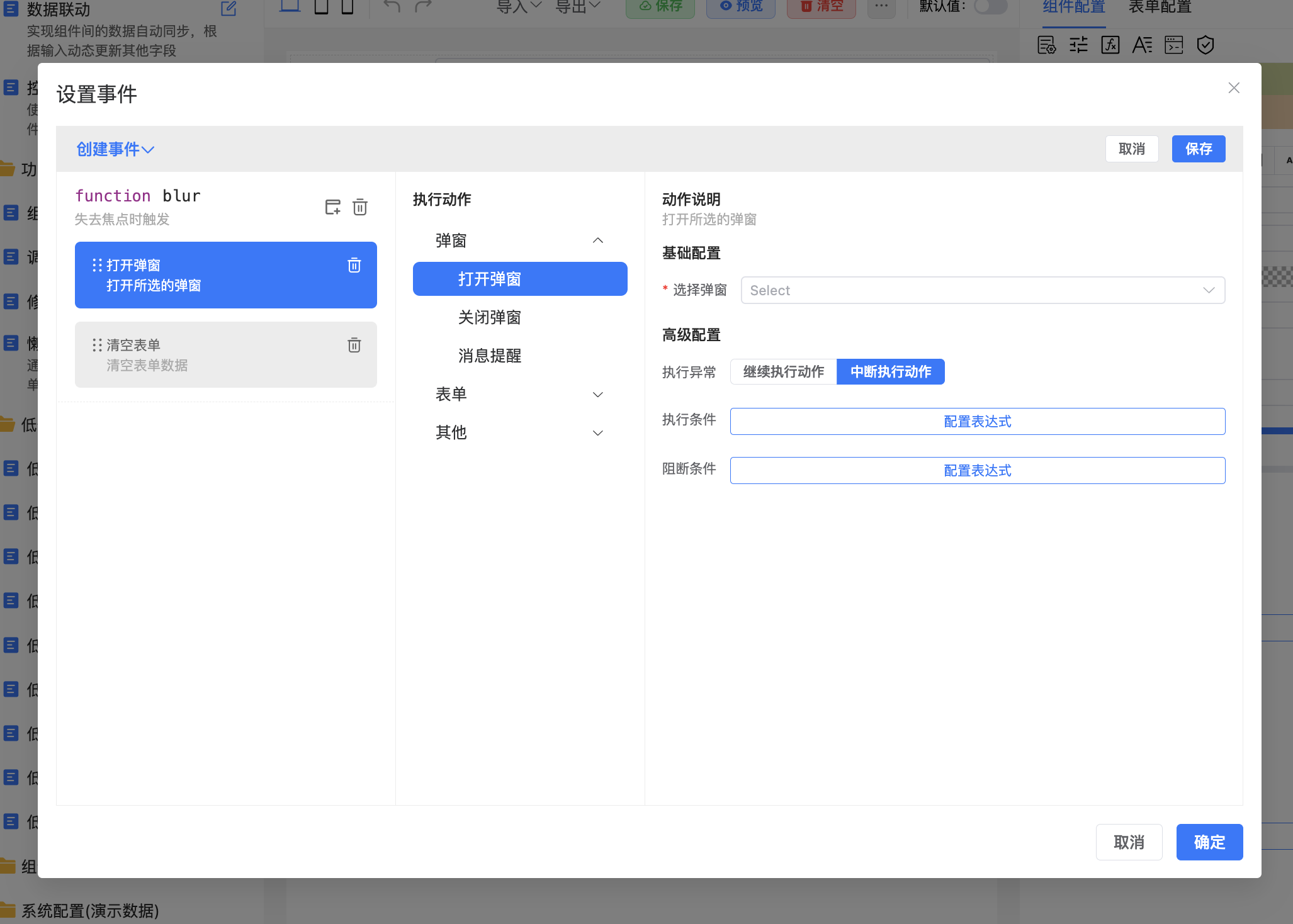
Visual Action Settings: Through an intuitive visual interface, users can set a series of actions triggered by specific events for various components.
Built-in Common Actions: The system includes 14 built-in common actions covering most operation needs, for example:
Open Dialog: Opens a designed dialog when a specific event occurs.
Submit Form: Triggers form submission and sends a request to the specified server interface.
Other common actions (more can be added as needed).
Action Execution Conditions: Supports setting execution conditions for each action, so actions only execute when conditions are met.
Blocking Conditions: Supports setting blocking conditions for actions. If blocking conditions are met, execution is interrupted, making action execution flow more controllable.
Flow Control: Through condition settings and blocking mechanisms, users can customize action execution flow to achieve complex business logic control.
Extensibility Support: Users can extend custom actions based on requirements to meet more complex and specific business needs.