


Data Linkage
1. Overview
Data linkage is a highly used feature in forms. It can be used to directly call or conditionally call data already entered in another form, making the current field display preset values.
2. Use Cases
When selecting addresses, if the first dropdown selects Jiangsu Province, the second dropdown can only select cities in Jiangsu Province. If the first dropdown selects Zhejiang Province, the second dropdown can only select cities in Zhejiang Province. This demonstrates data linkage.
When selecting product information, after choosing a product name or number, the price field is automatically filled with that product's price.
3. Configuration Entry
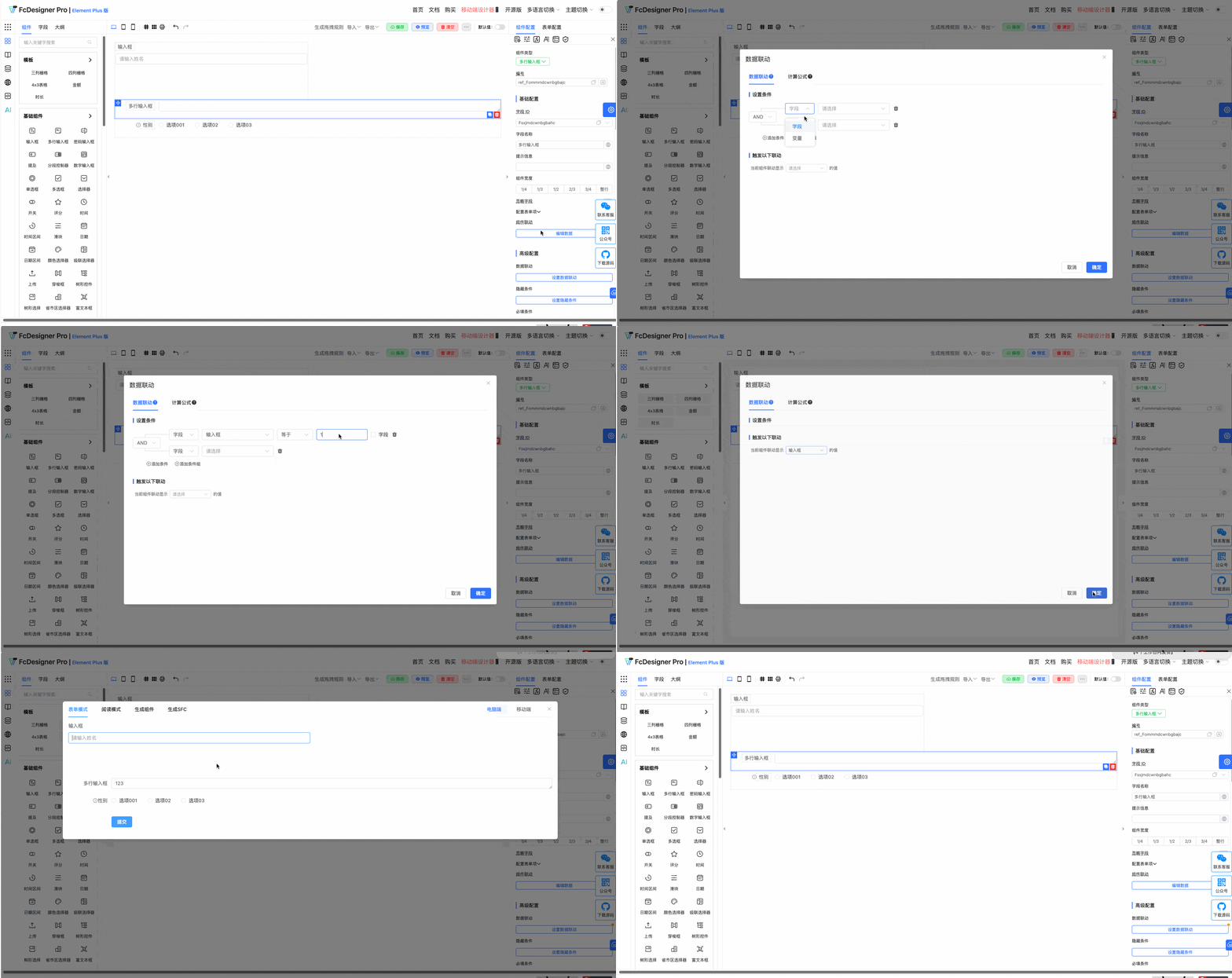
For the following fields, after selecting a field, set "Data Linkage" in "Component Configuration >> Advanced Configuration":
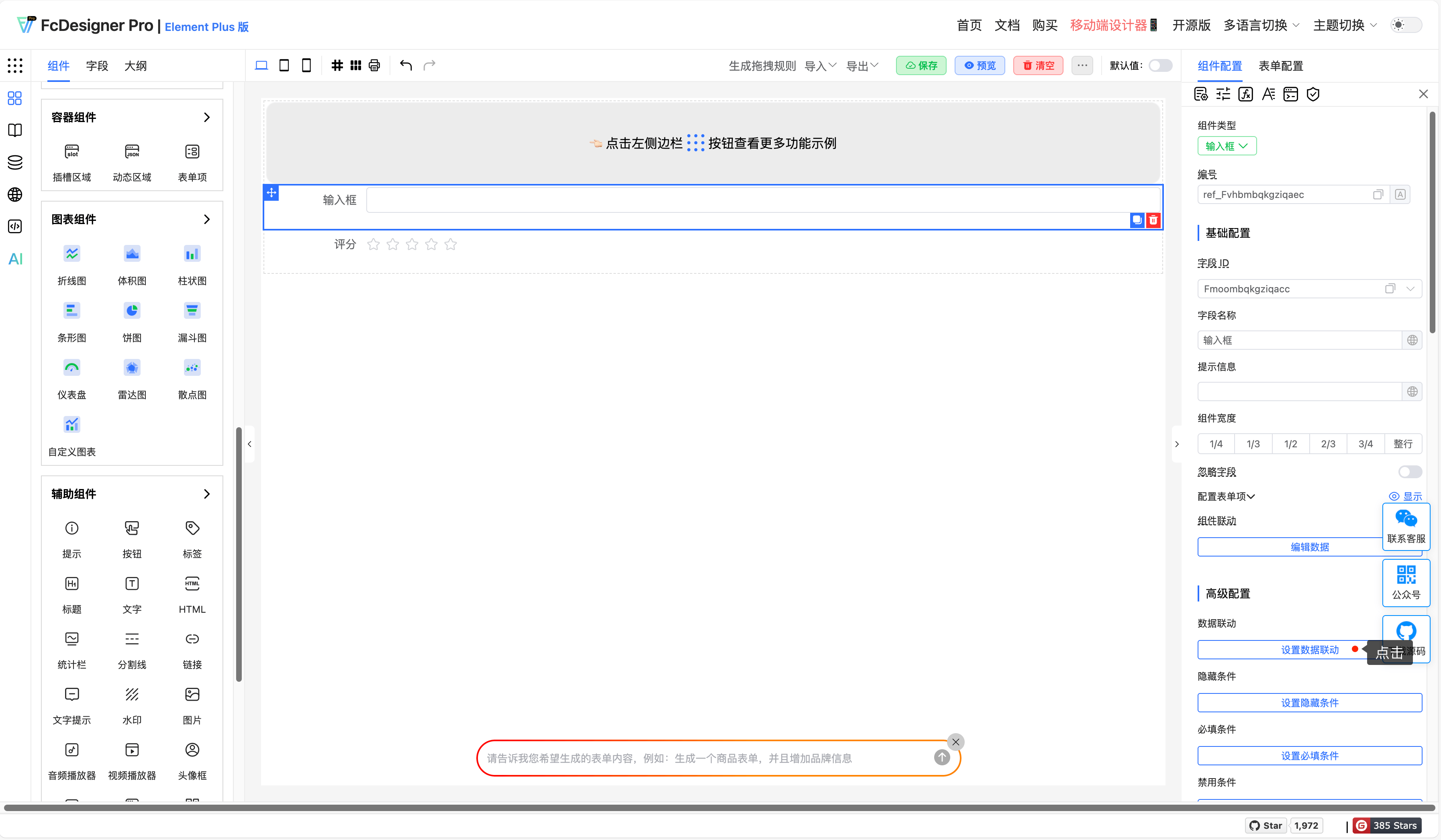
After clicking data linkage, the data linkage configuration dialog opens;
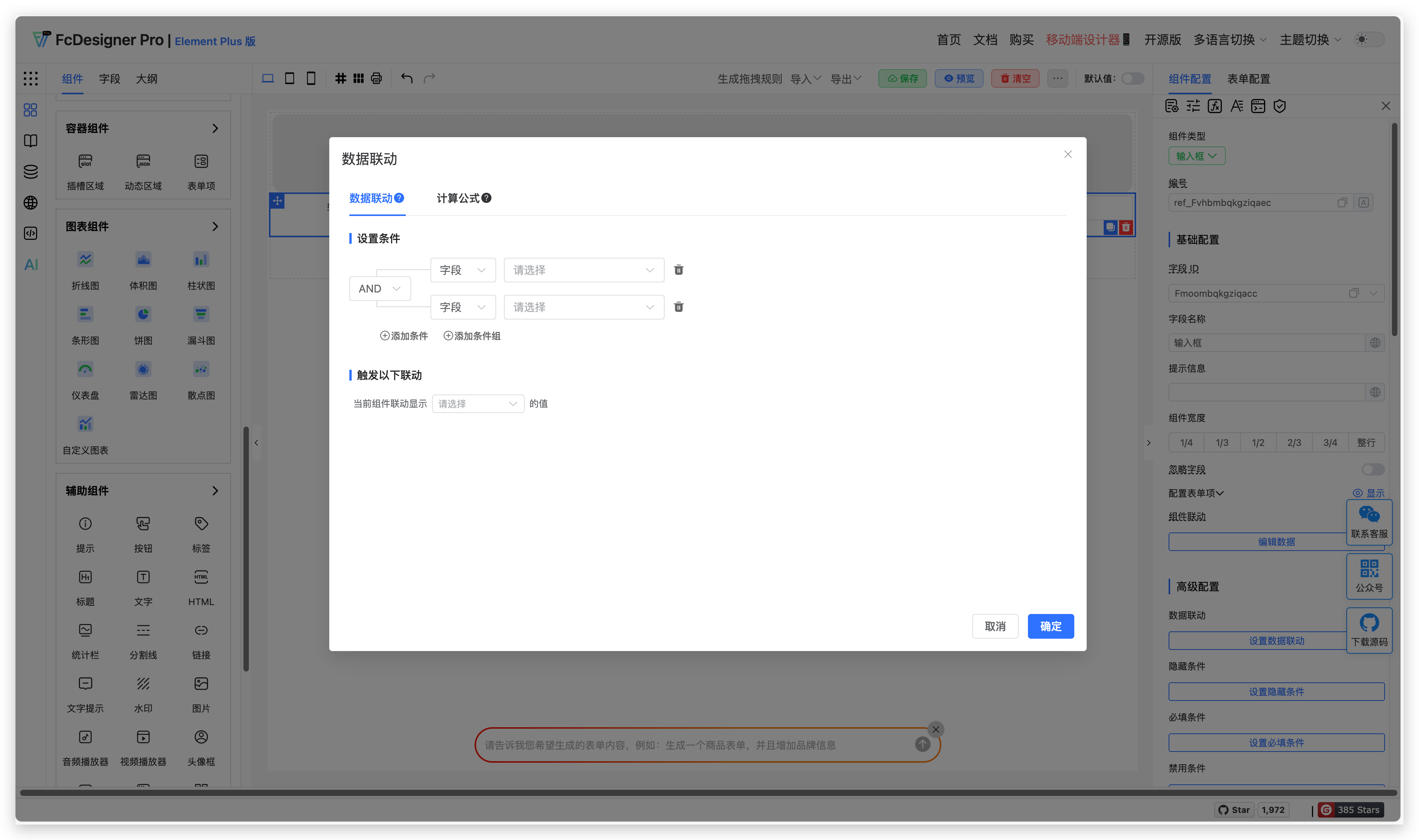
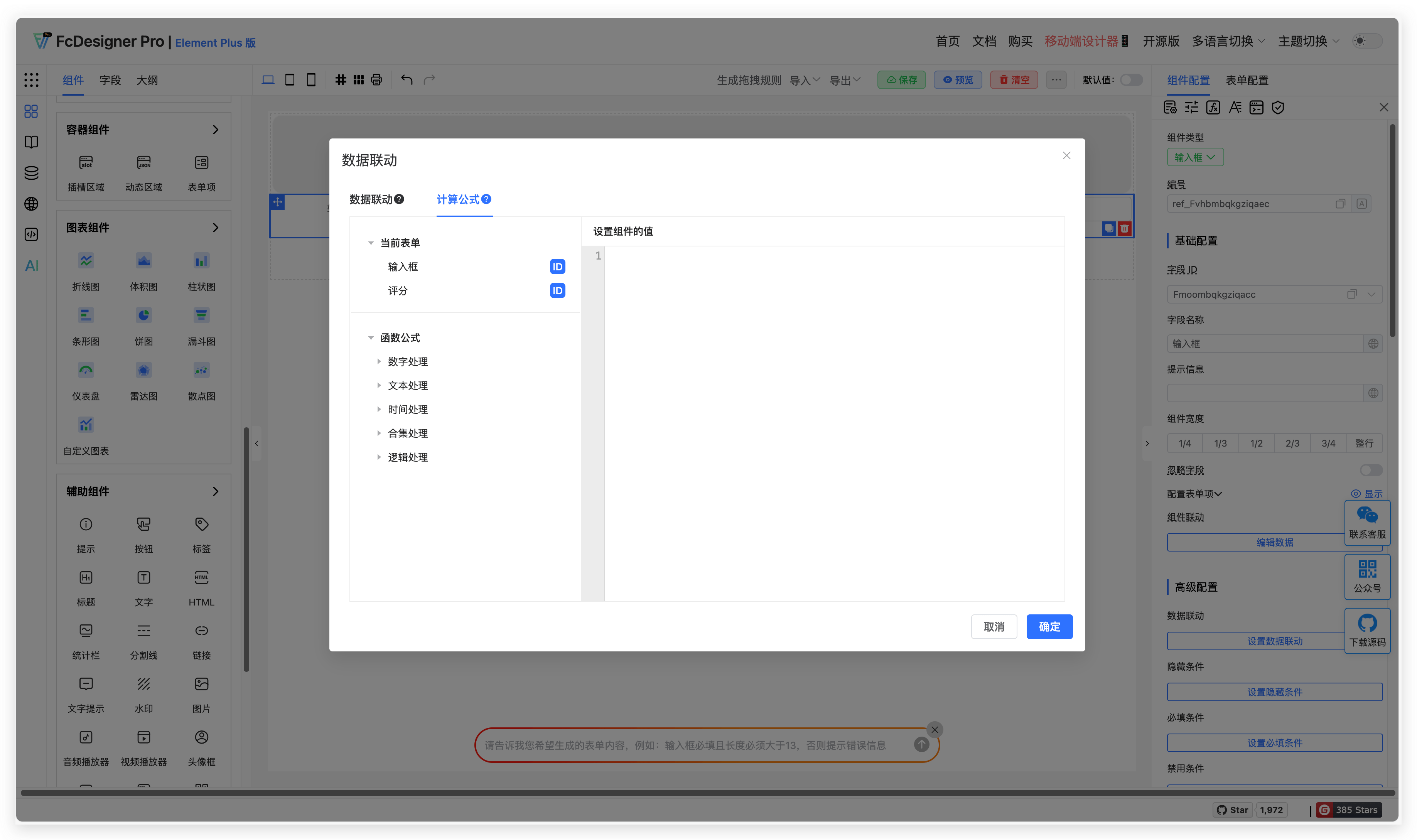
When conditions are met, values from other fields can be displayed.
4. Supported Fields
Fields that support setting "Data Linkage" include: Input Box, Textarea, Password Input, Mention, Segmented Controller, Number Input, Radio Button, Checkbox, Select, Switch, Rating, Time, Time Range, Slider, Date, Date Range, Color Picker, Cascader, Upload, Transfer, Tree, Tree Select, Province-City-District Picker, Rich Text Editor, Unique Value, Handwritten Signature, Calculation Formula, Sub-form Selector, Slot Area, Dynamic Area
5. Examples
Example 1:
In purchase order forms, after selecting a product name, the system automatically retrieves the product's unit price and stock quantity from the product table and displays them in the form. If stock is insufficient, prompt the user or limit order quantity.
Example 2:
When sales personnel create orders, after selecting a customer name, the system automatically extracts the customer's contact phone, address, historical order records, and other information from the customer database and fills them into corresponding fields in the order form.