


Event Configuration
The component form event configuration feature allows users to listen to and handle component events, enabling more flexible and dynamic component behavior.
1. Overview
Custom form component event triggering allows developers to bind custom event logic to form components (such as input boxes, dropdowns, buttons, etc.). When users interact with components (clicking, typing, selecting, etc.), predefined operations or callback functions are triggered.
2. Use Cases
- Dynamic Form Validation
- Scenario: When users enter a phone number, validate the format in real-time and display errors.
- Implementation: Bind an
onChangeevent to the input box, trigger regular validation logic, and dynamically update error prompts.
- Cascading Selector
- Scenario: After selecting a province, automatically load the corresponding city list.
- Implementation: Bind an
onChangeevent to the province dropdown, trigger an API request to fetch city data, and update the city dropdown options.
- Real-time Data Synchronization
- Scenario: When users modify form data, save to local storage or synchronize to the server in real-time.
- Implementation: Bind
onBluroronChangeevents to the form, trigger data saving logic.
3. Configuration
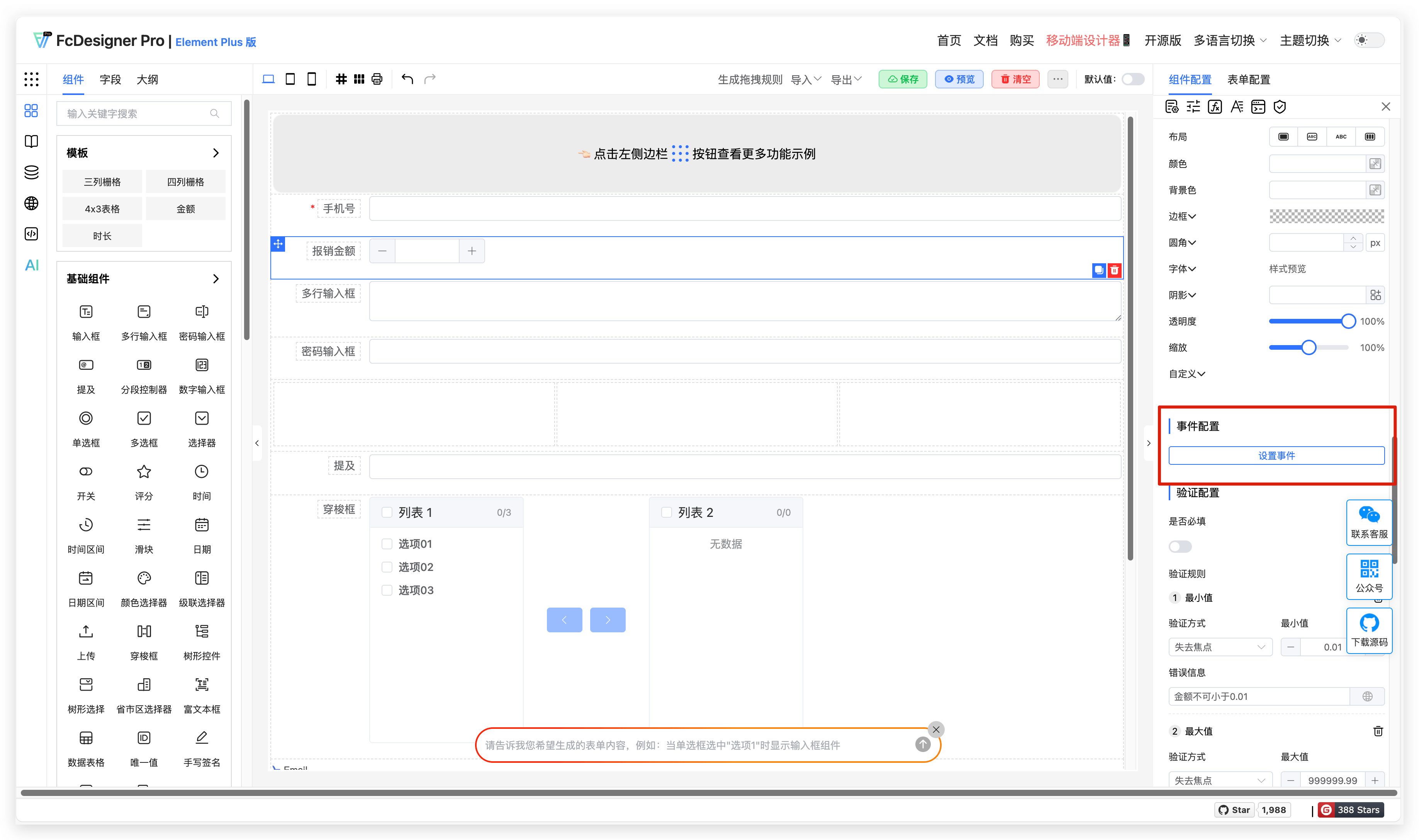
Event configuration entry:
Event configuration dialog:
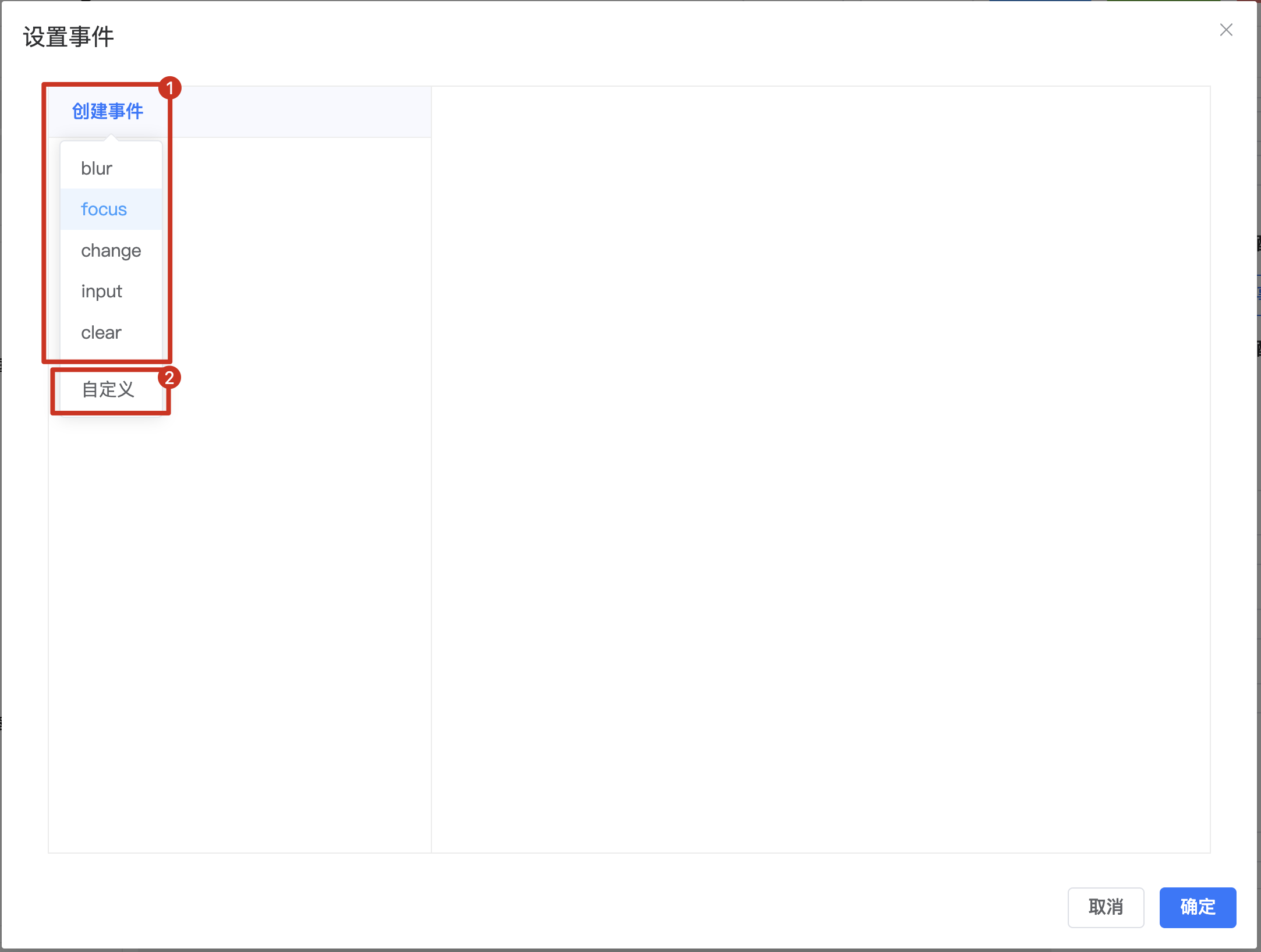
- Events supported by the current component, click to add a new event
- Bind events with custom names
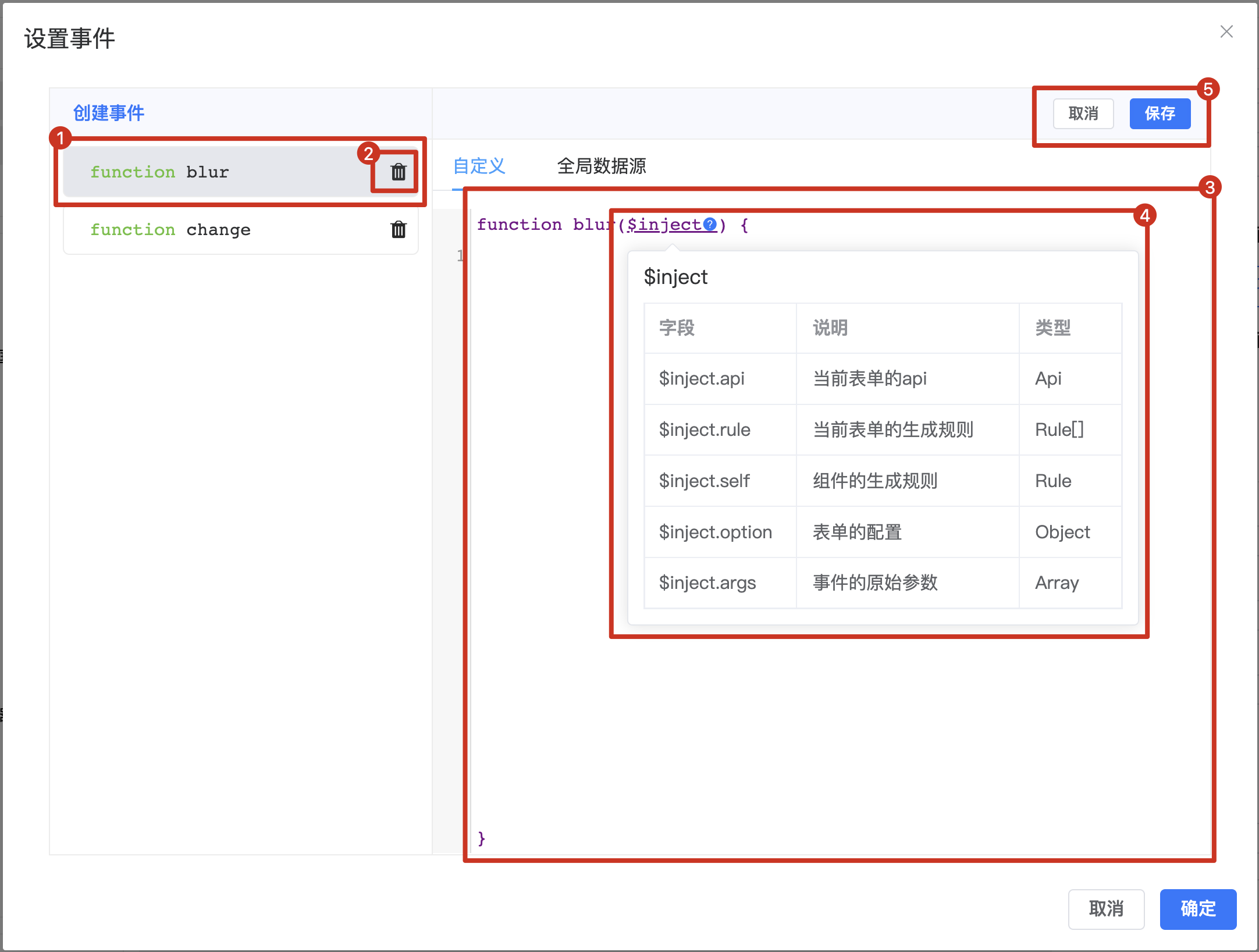
- Currently editing event
- Delete added events
- Event function content editing area
injectparameter: An injection parameter that provides access to the form API, original parameters, and other parameters- Save button: Click to save changes after modifying function content
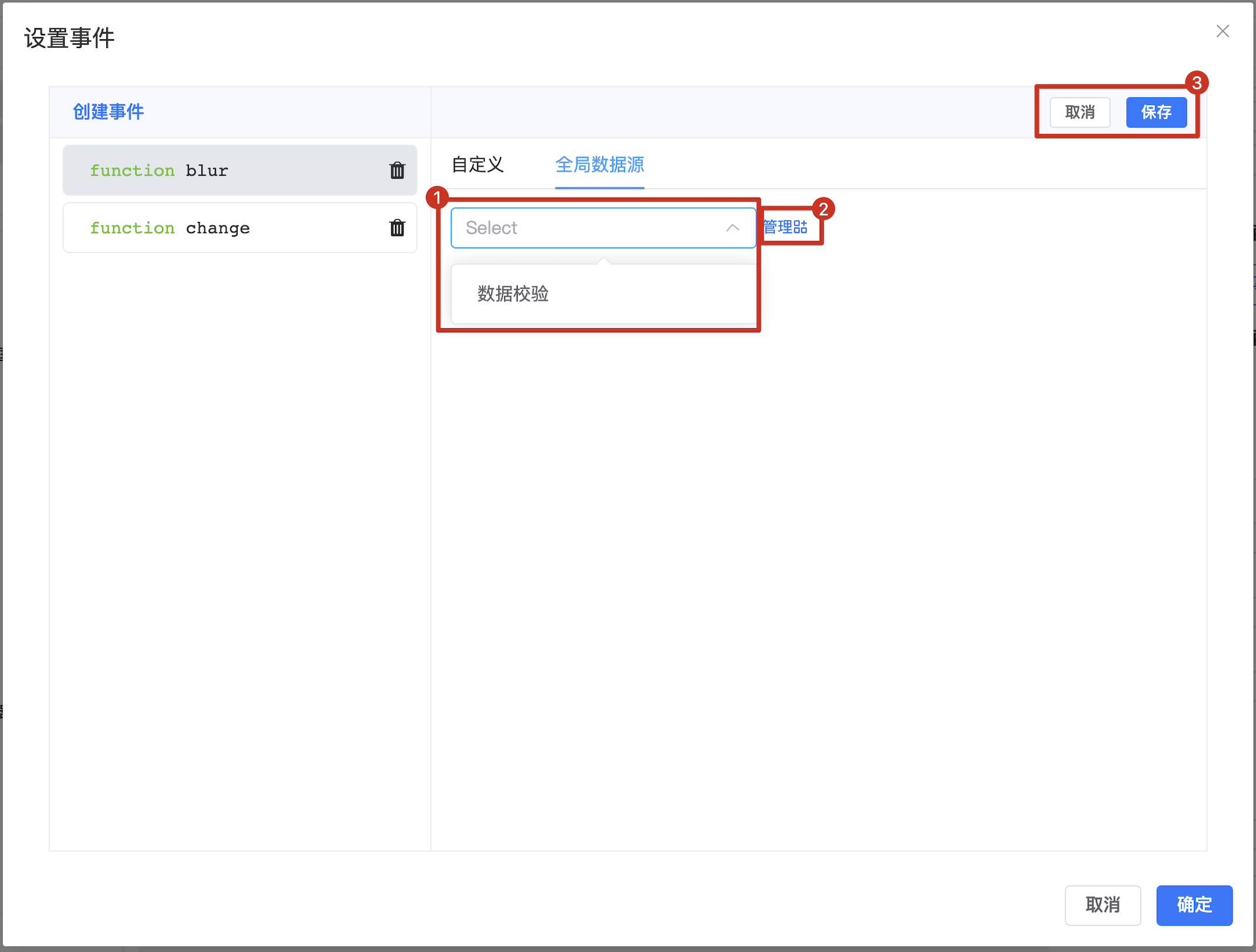
- Select custom event functions from global data sources (supports extension)
- Management button: Opens the global event management interface
- Save button: Click to save changes after modifying the data source