Option Data
1. Overview
Option data settings configure selectable items for selection-type fields.
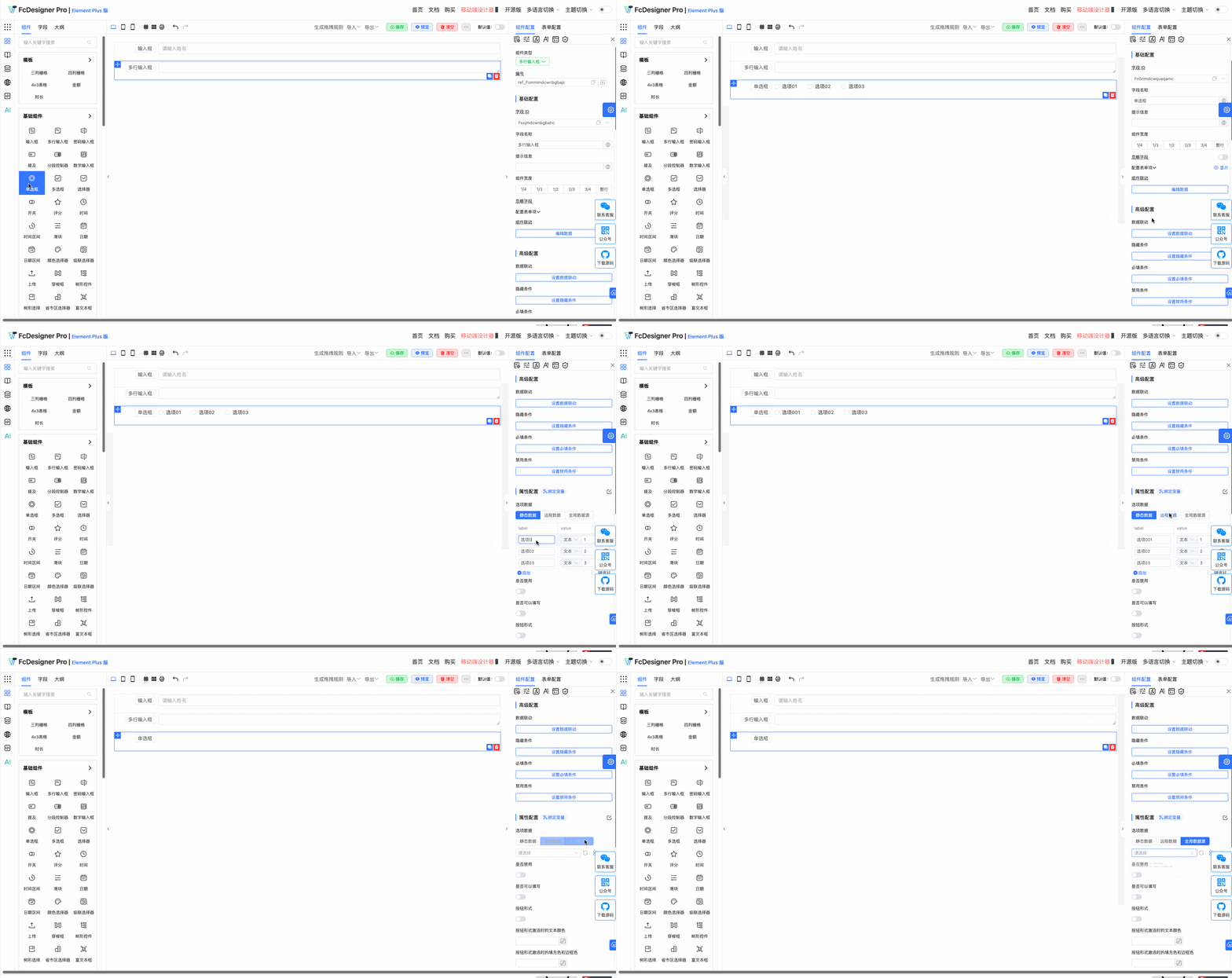
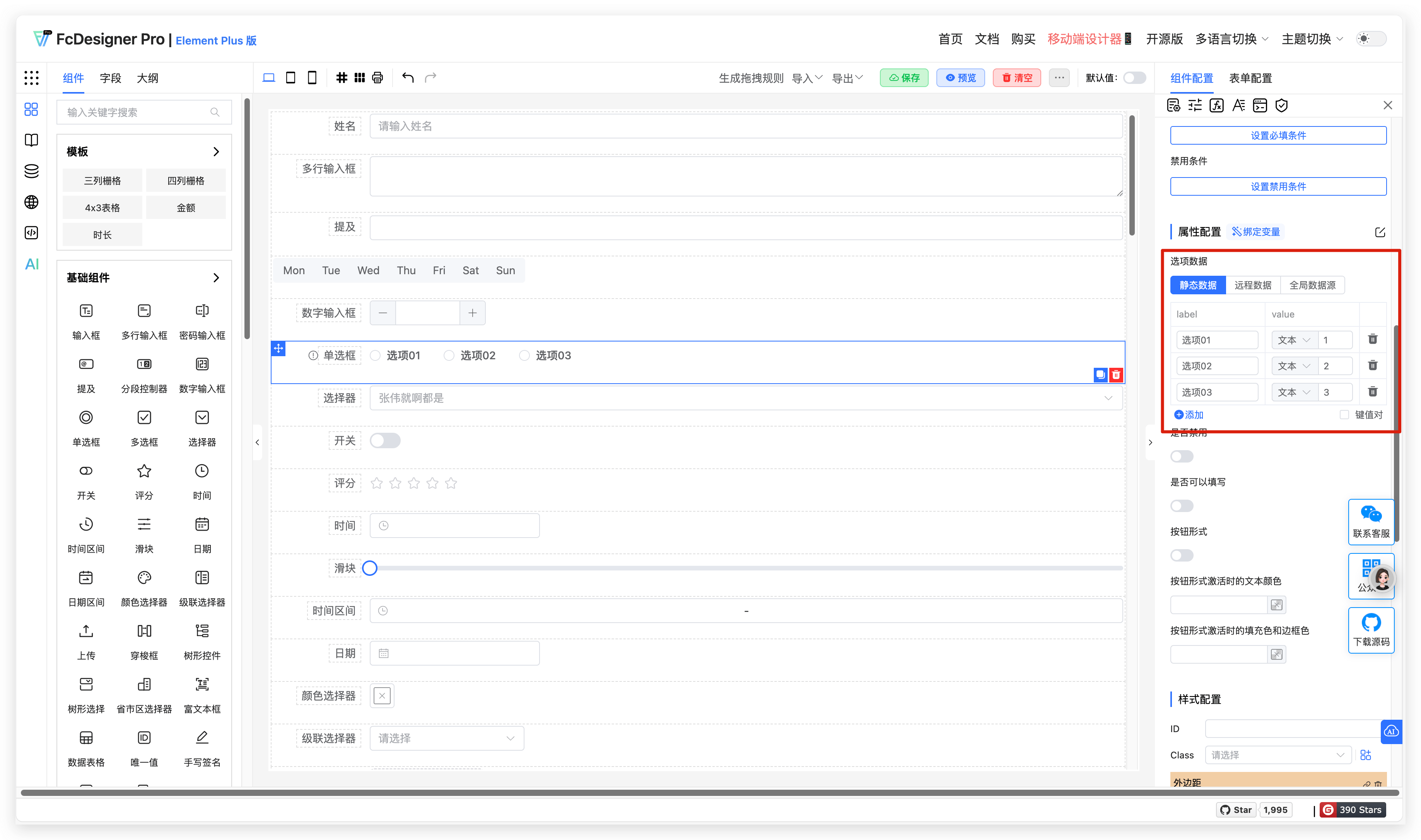
Option data in custom forms supports static data, remote data, and global data source settings, configured in "Component Configuration >> Property Configuration":
2. Configuration
1. Static Data
Description:
- Hardcode option lists directly in component configuration, typically as key-value pair arrays (e.g.,
[{label: 'Option 1', value: 1}, ...]) - Supports multi-level nesting (e.g., tree selectors)
- No asynchronous requests needed, fast rendering
Use Cases:
- Fixed Option Forms:
- Gender selection (Male/Female/Other)
- Country/Region selection (fewer options and infrequent changes)
- Order status (Pending Payment/Paid/Cancelled)
- Simple Configuration Scenarios:
- Permission role selection in backend management systems
- Single/multiple choice questions in questionnaires (options are known and limited)
2. Remote Data
Description:
- Dynamically fetch option data through API requests, supporting pagination, search, debounce
- Configure request parameters, cache strategy, and error handling
- Suitable for large datasets or frequently changing options
Use Cases:
- Dynamic Data Forms:
- User selector (load user list from database)
- Product category selection (categories in e-commerce systems may be added or removed at any time)
- Real-time data linkage (e.g., loading city list based on selected province)
- Large Data Volume Scenarios:
- Contact selection (supports search filtering)
- Enterprise organizational structure selection (tree structure + lazy loading)
- Third-party Data Integration:
- Weather city selection (call weather API)
- Stock code selection (integrate financial data interface)
3. Global Data Source
Description:
- Obtain options from system predefined global data collections (e.g., through Context, Redux, or global configuration files).
- Supports cross-component data sharing, avoiding duplicate requests.
- Suitable for scenarios where multiple forms reuse the same options.
Use Cases:
- Enterprise Applications:
- Unified management of global options (e.g., country lists, currency types)
- Multiple forms sharing department/position data
- Theme Configuration:
- Global color picker (all forms use the same color palette)
- Font size configuration options
- Multi-language Systems:
- Language selector (all forms use unified language list)
- Regional format configuration (date/number formats)
3. Examples
For example, when three gender options (Male, Female, Confidential) are needed, maintain them directly in option data.
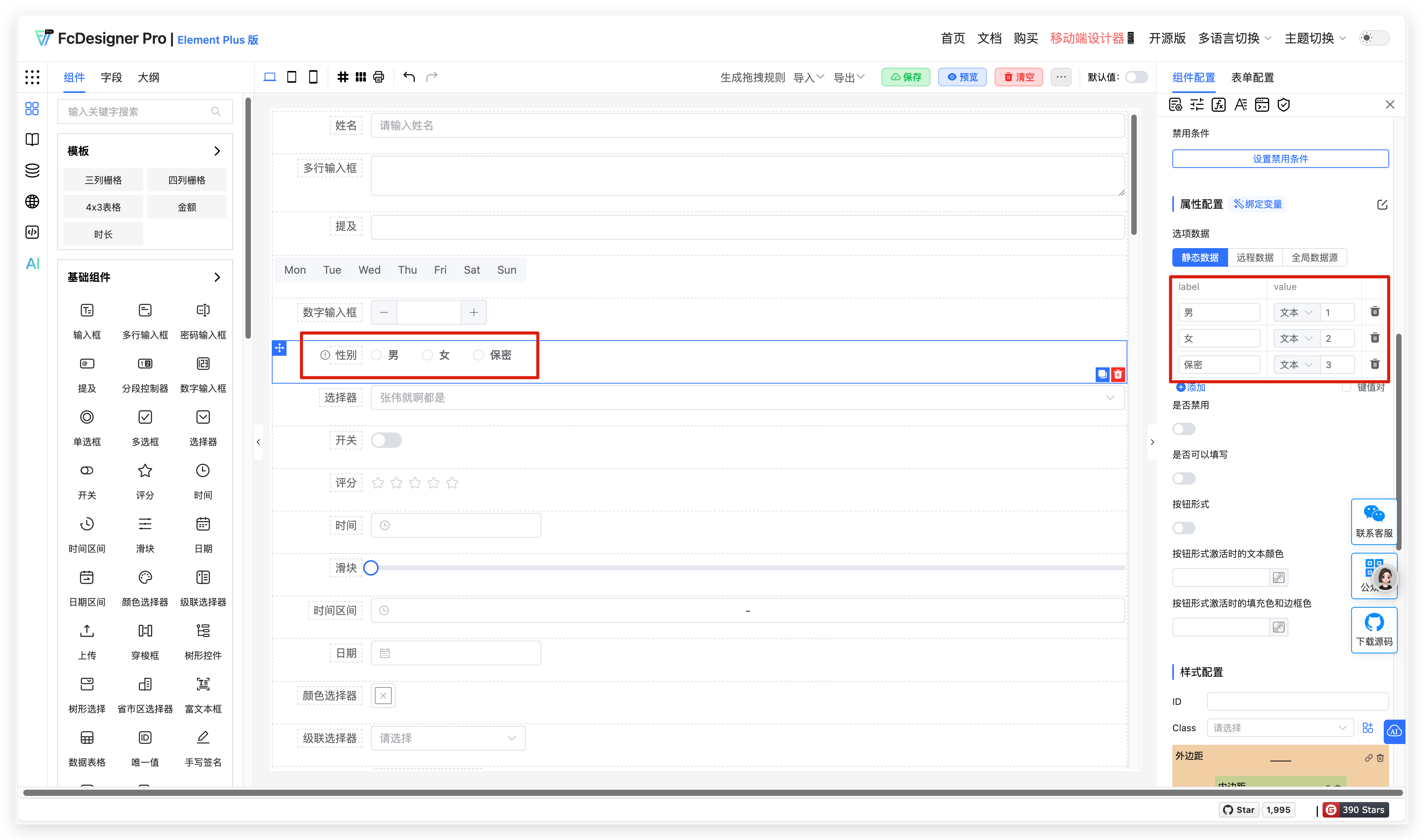
When more options need to be added, directly click the add button.
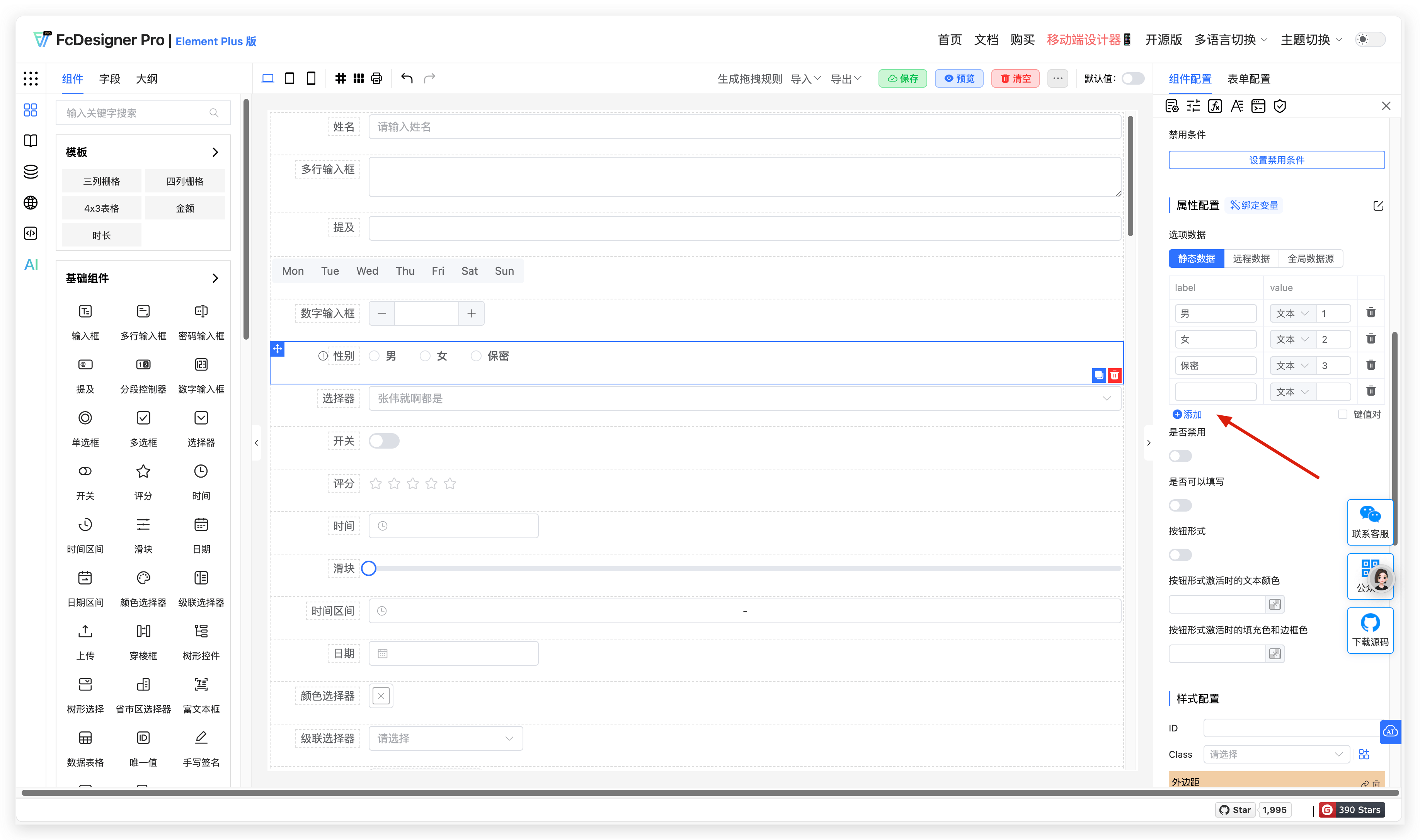
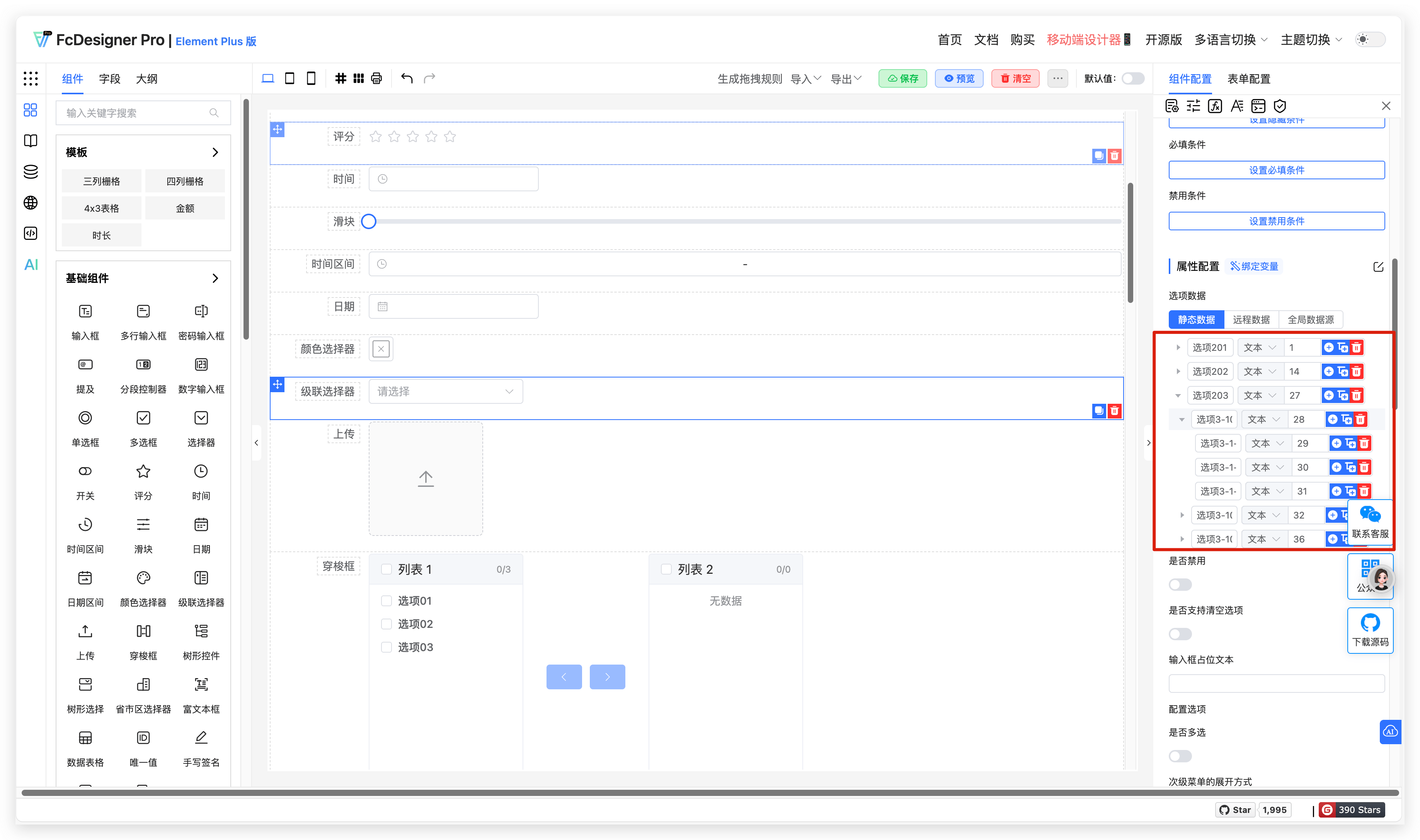
Cascading type options support adding multi-level option data. Buttons are: add sibling option, add child option, delete this option.