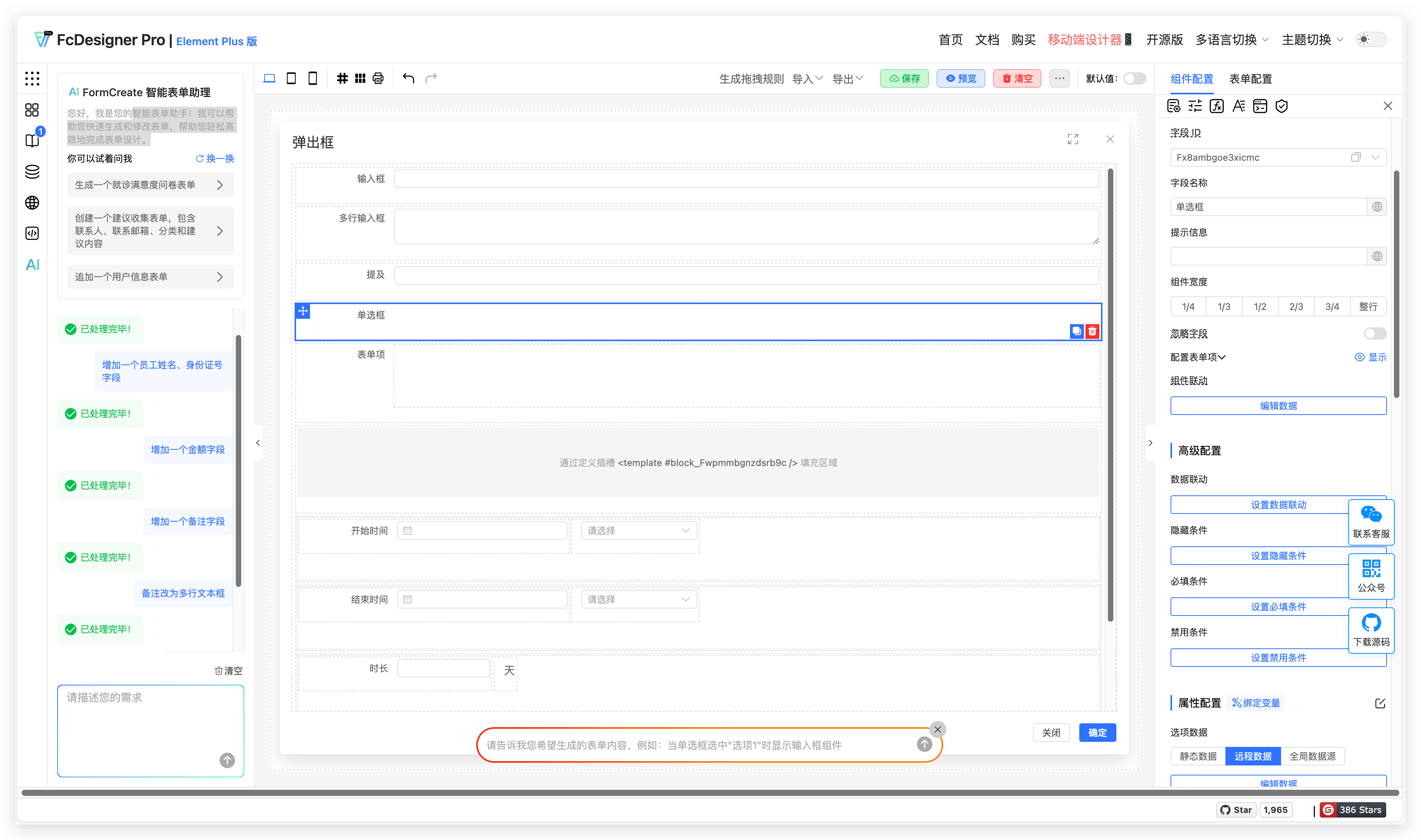
Global Framework Overview
This document provides a comprehensive overview of the system's functional module layout, including the left sidebar (form list, component management, AI assistant, etc.) and the top bar (language/theme switching). It offers both visual configuration and JSON development modes, enabling rapid business form creation.
1. Left Sidebar
The left sidebar features, from top to bottom: Form List, Component List, Module Management, Global Configuration, Internationalization Configuration, JSON, and AI Form Assistant.
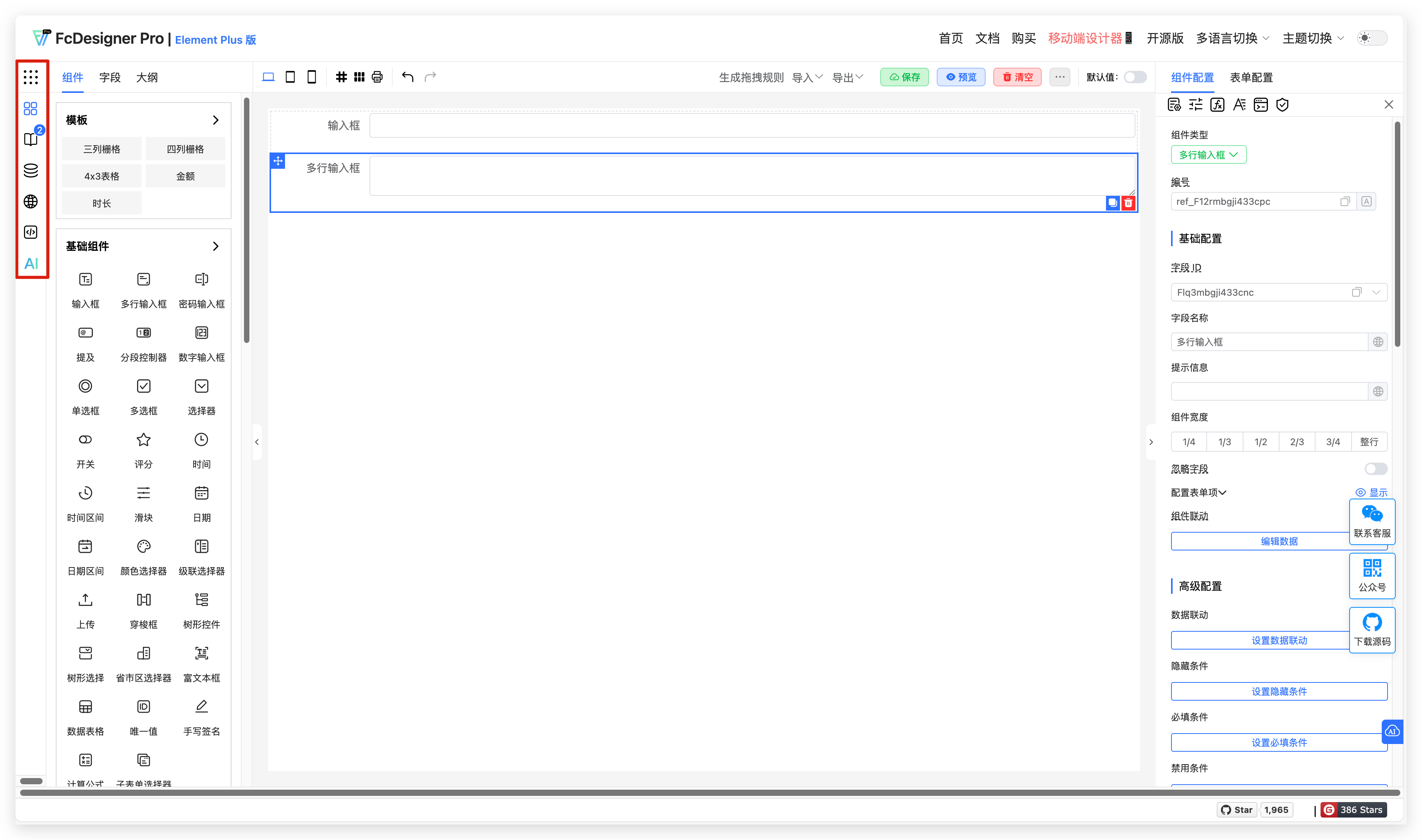
1.1 Form List
Description: Select form templates to quickly switch and configure forms across different business scenarios.
Use Cases: For commonly used leave request components in approval workflows, you can create a built-in leave form template with fields such as applicant name, leave reason, and leave duration. This allows you to quickly add leave form fields by dragging the template when creating custom forms.
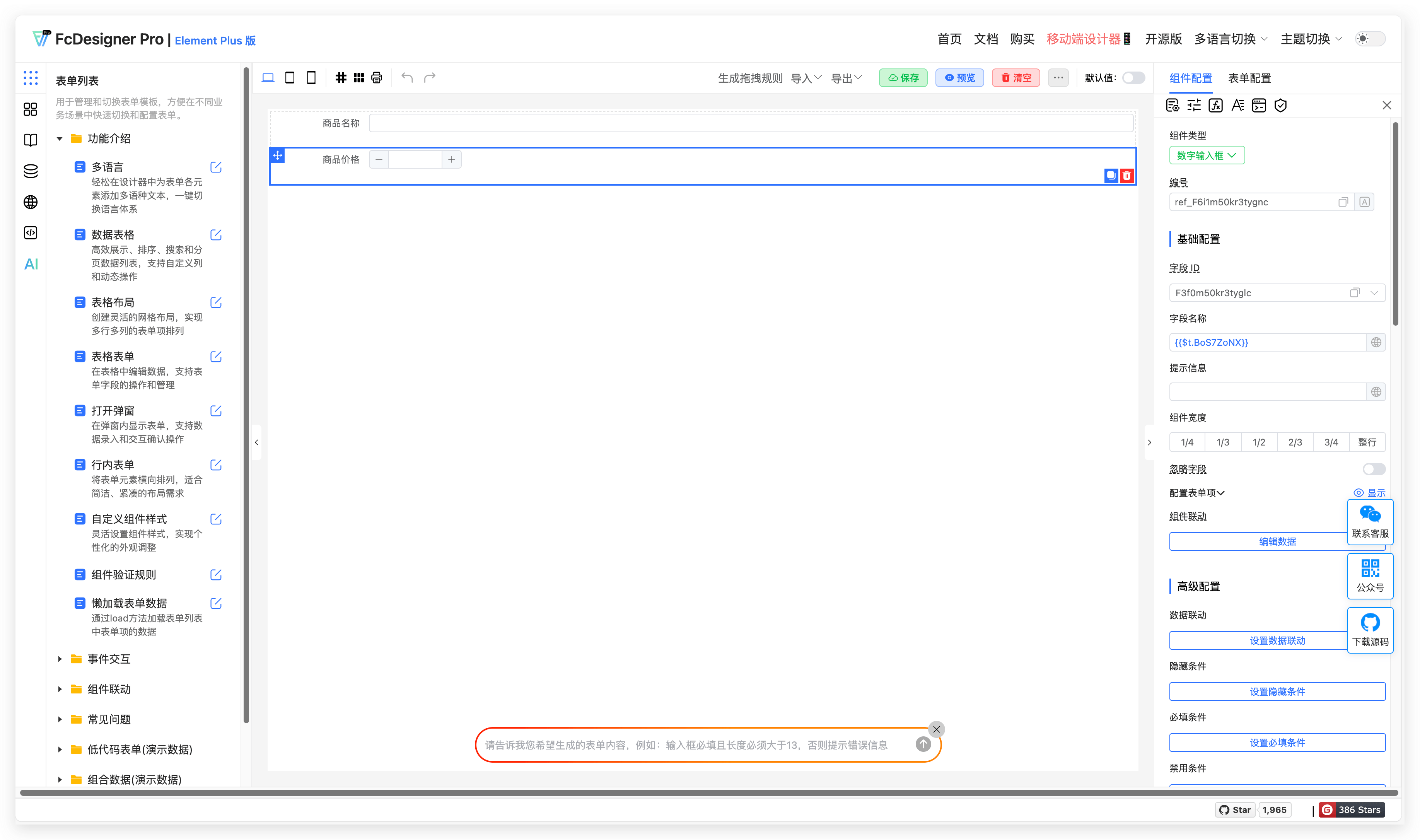
The demo data includes reference forms for multi-language, data tables, and table layouts.
1.2 Component List
Description: Through intuitive interactions like drag-and-drop and checkbox selection, users can quickly build and adjust form layouts and field properties without coding, meeting diverse data collection needs.
Use Cases:
- In enterprise office scenarios, HR can use custom forms to quickly build employee onboarding information forms, covering fields such as name, education, and work experience, efficiently collecting new employee data.
- Before product launch events, marketing departments can create event registration forms using custom forms to collect attendee information including name, contact details, company, and position. They can also design feedback forms after events to collect attendee evaluations on event content and venue arrangements.
- Educational institutions can customize course registration forms, including student name, age, and course preferences, facilitating enrollment management. They can also create teaching satisfaction survey forms to collect student feedback on course quality and teaching effectiveness for continuous improvement.
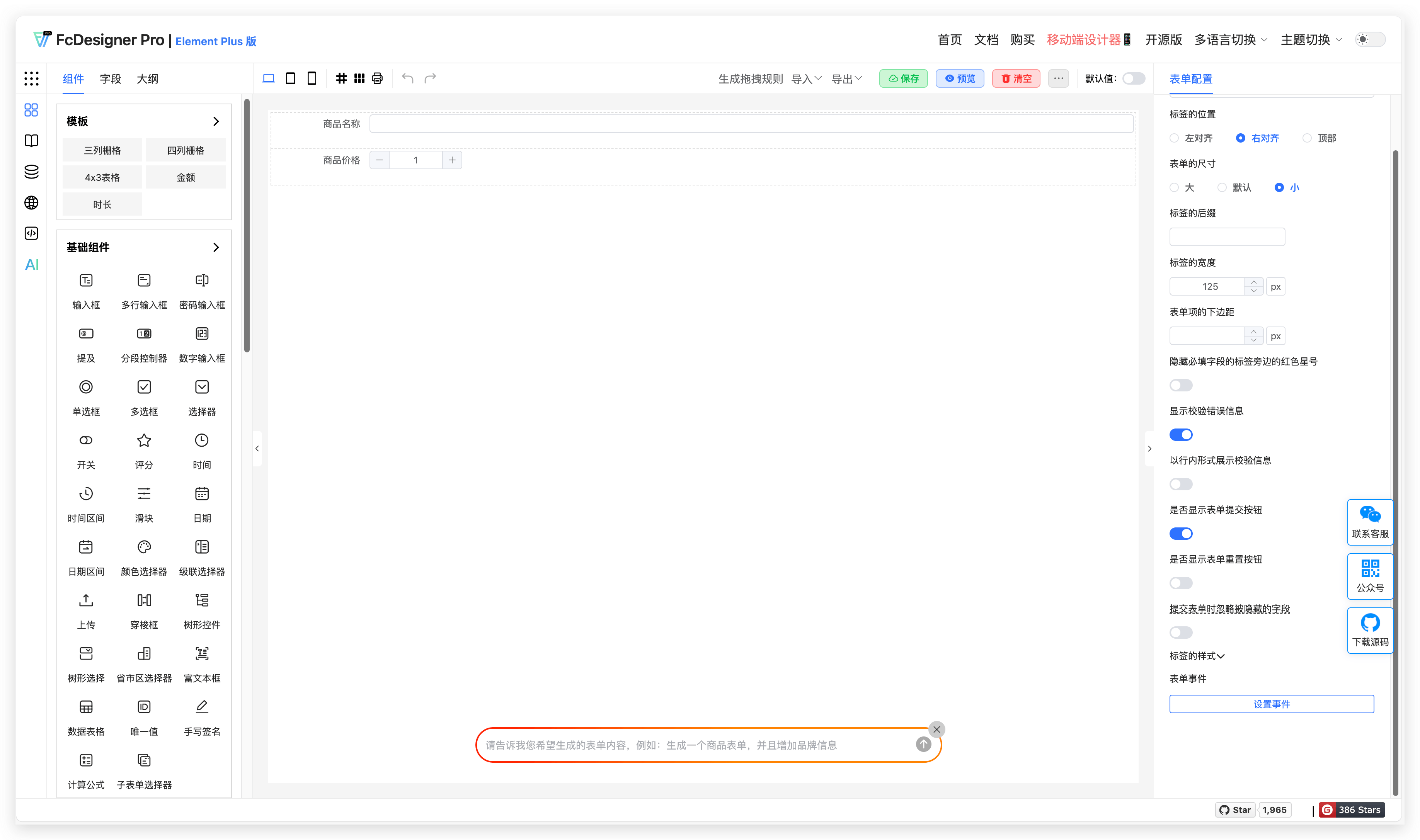
1.3 Module Management
Description: Design popup dialogs within forms that are triggered by events, enabling dynamic information display and interactive operations within forms.
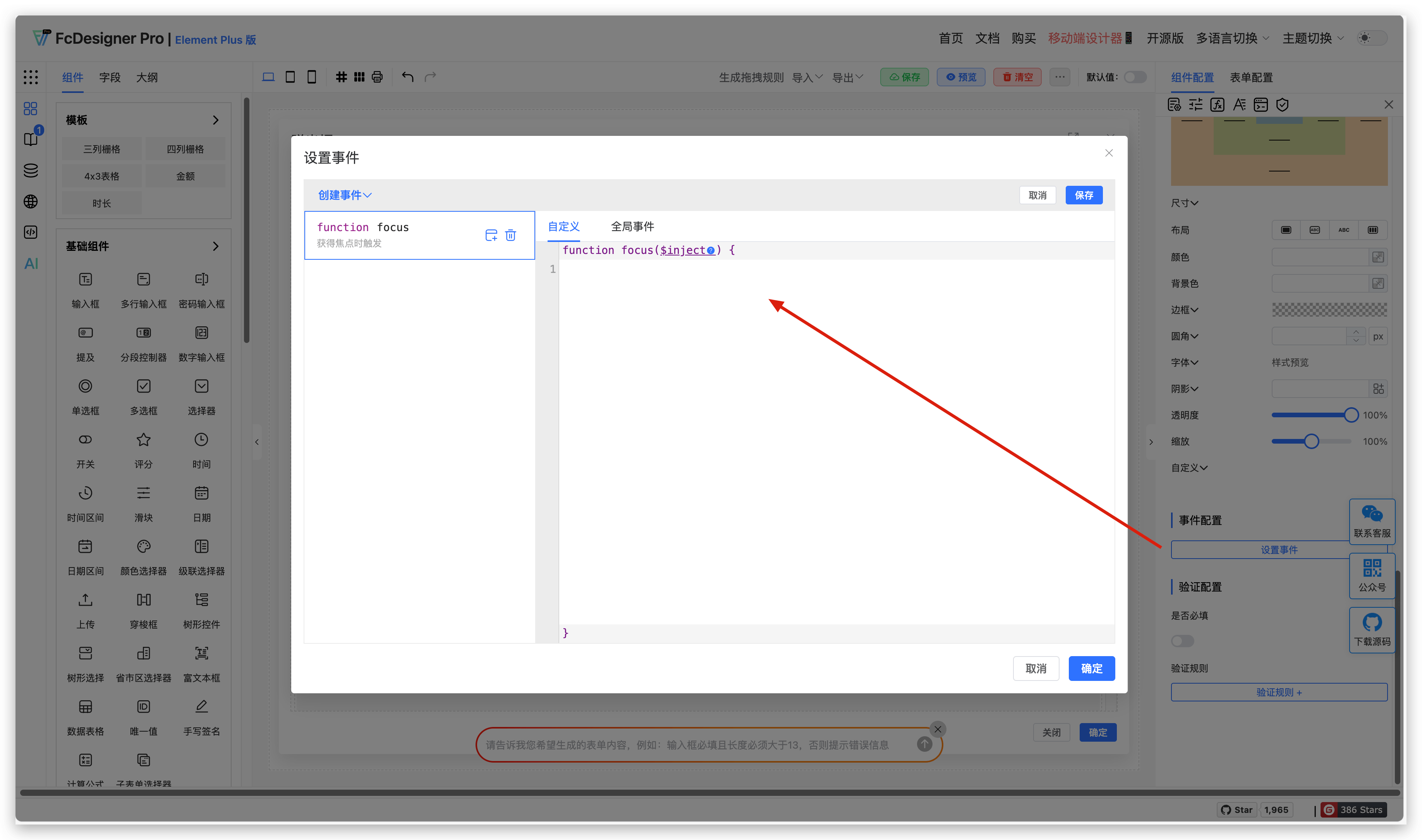
Use Cases: In low-code business development workflows, some fields need to trigger popup dialogs or side-sliding drawers when clicked. You can associate pre-configured popup or drawer components from the business module in the field's custom event configuration, enabling rapid setup of interaction logic.
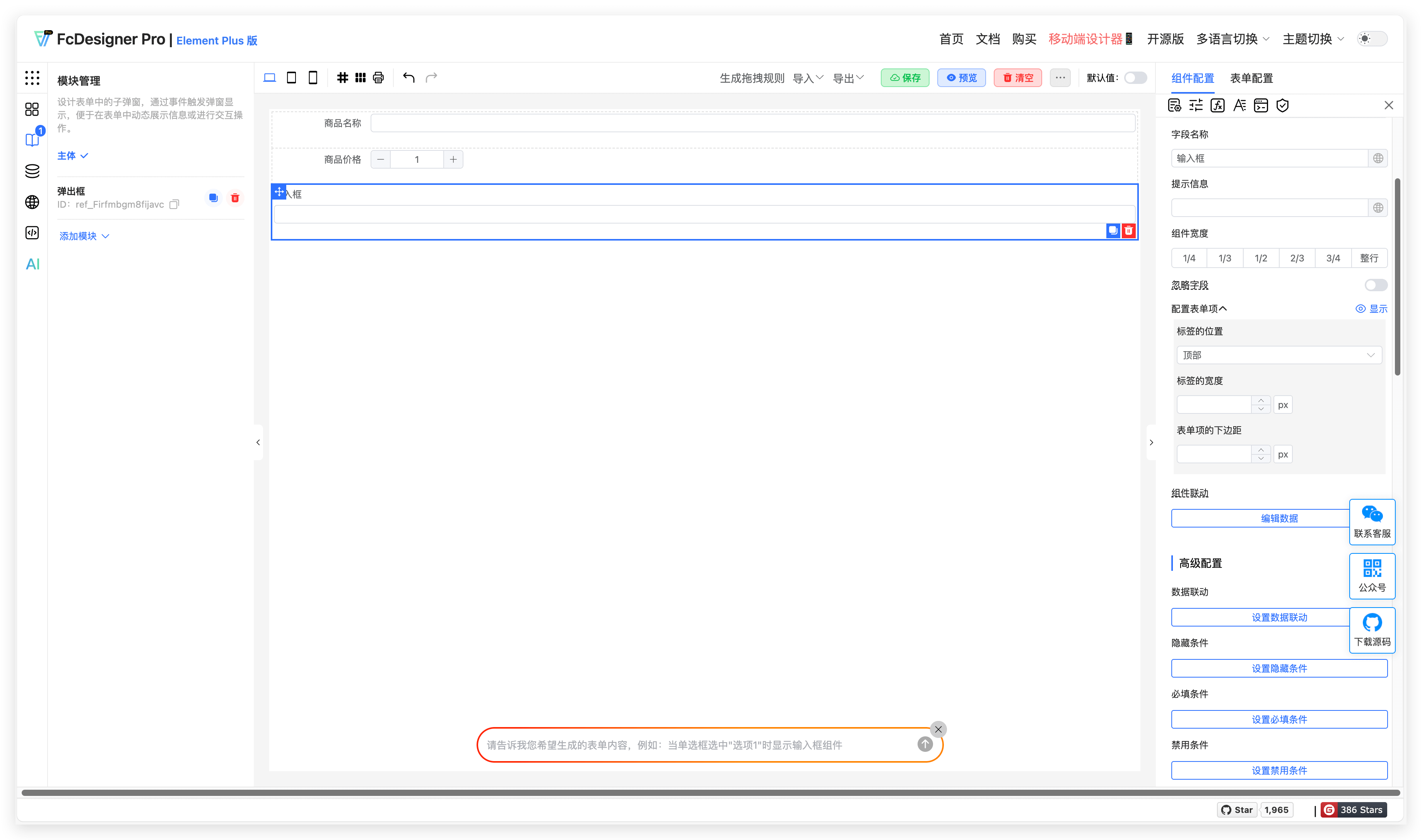
Usage in form settings:
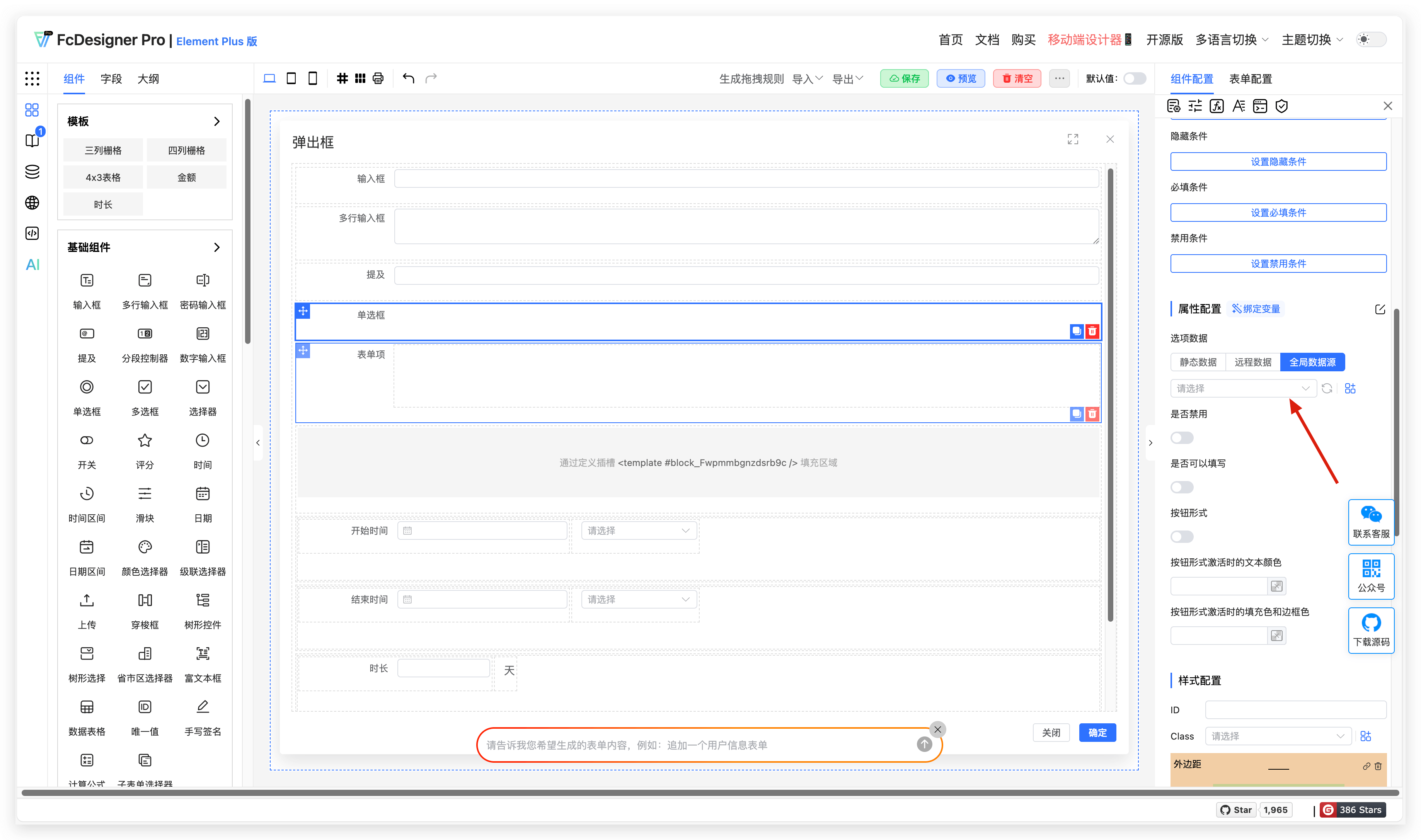
1.4 Global Configuration
Description: Manage global events, styles, data, and variables for data sharing and event handling across different components.
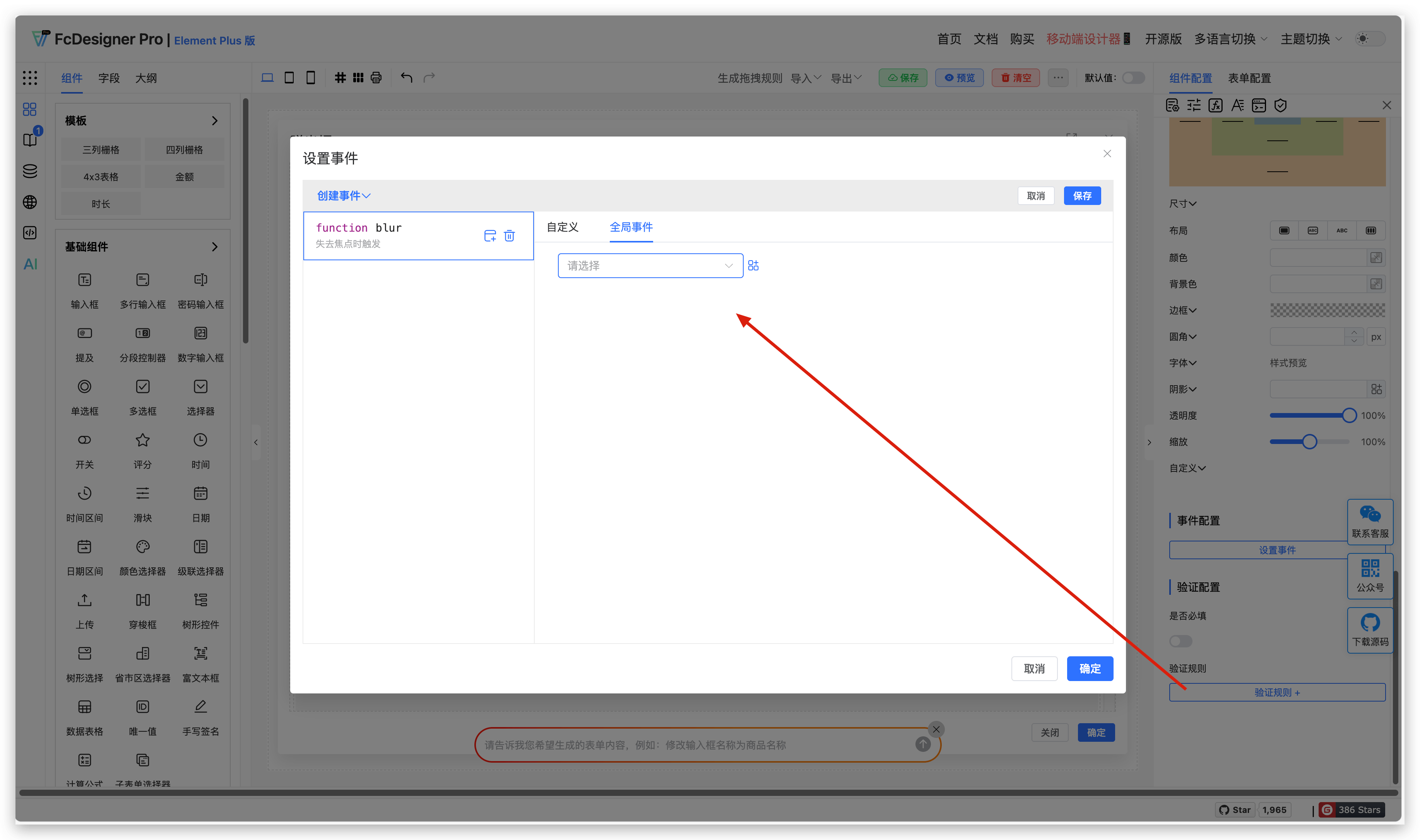
Use Cases: When multiple forms or buttons share common requirements such as interaction event logic, data source interfaces, page style configurations, or shared variables, you can set them as global resources. This allows you to reuse these features or styles across the project without repeated configuration, significantly improving development efficiency and code consistency.
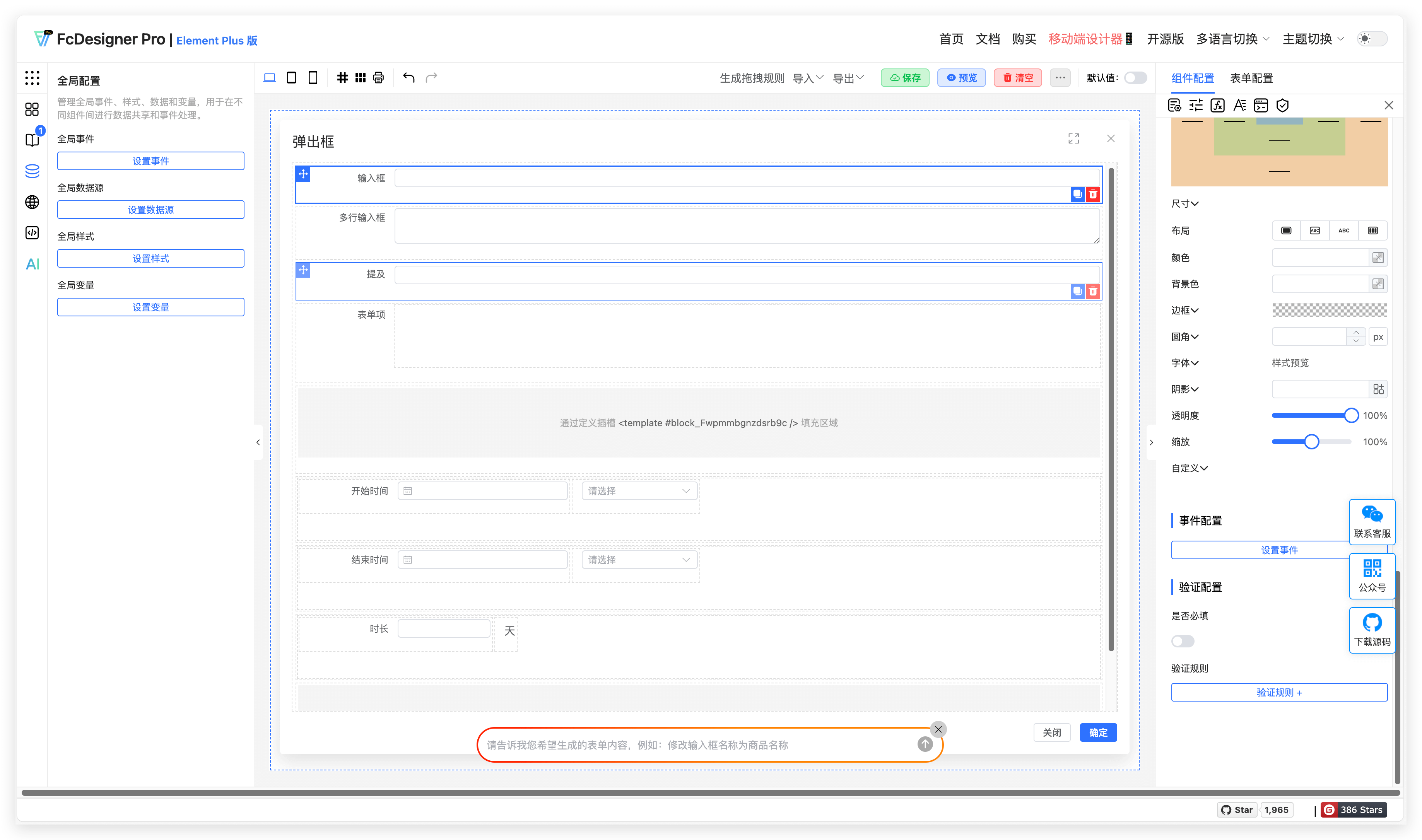
Usage in form settings:
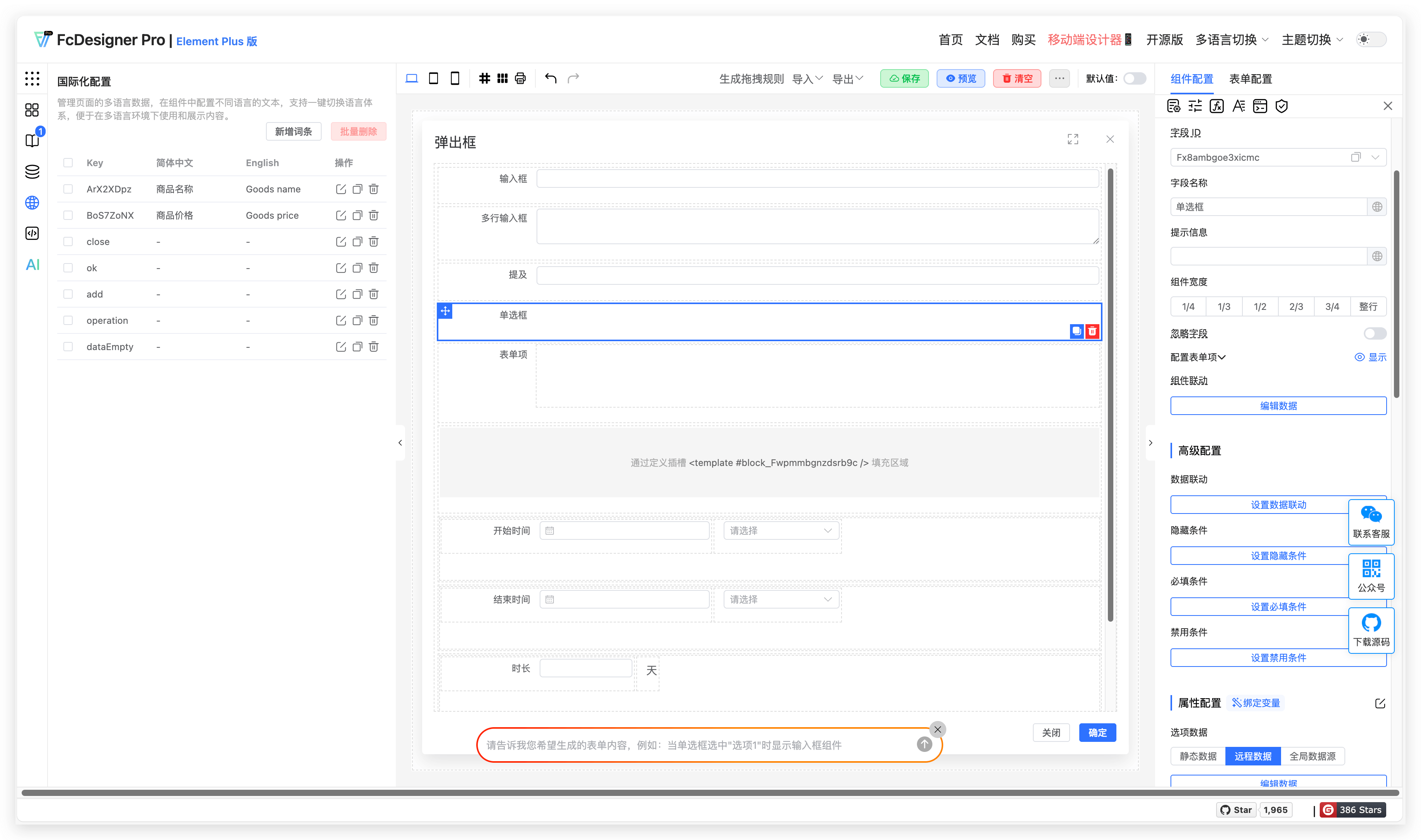
1.5 Internationalization Configuration
Description: Manage multi-language data for pages, configure text in different languages within components, and support one-click language switching for easy use and content display in multi-language environments.
Use Cases: Term configuration is essential for managing multi-language systems. In traditional development, multi-language text is scattered, making modifications and additions cumbersome and error-prone. Term configuration centralizes all multi-language text in a unified management platform, allowing developers to update all associated components and pages with a single operation, greatly improving development efficiency and reducing maintenance costs. When expanding to new regions requiring new language support, you can quickly adapt by adding term entries in the platform without large-scale code changes.
1.6 JSON
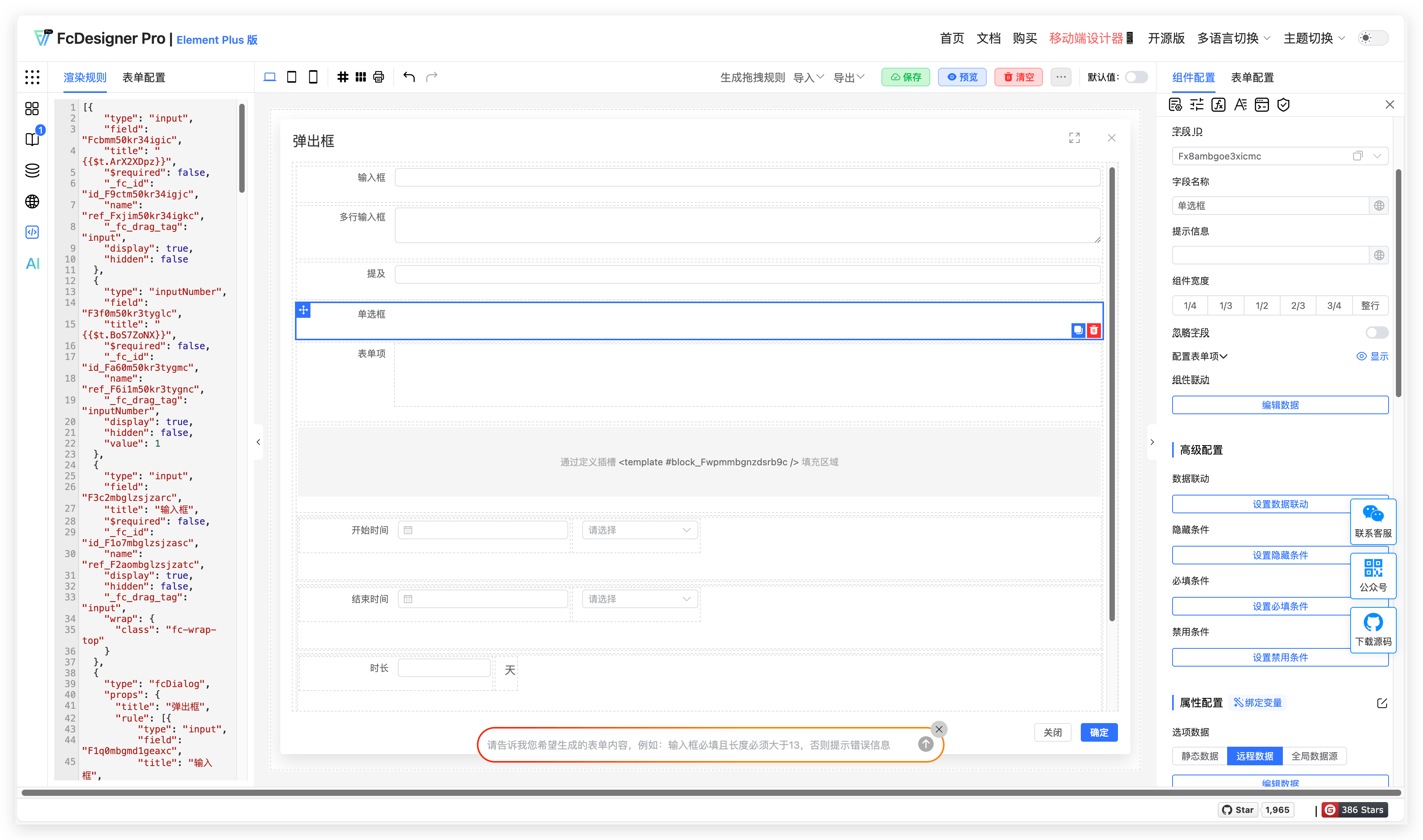
1.6.1 Rendering Rules
Description: JSON rendering rules are the core logic for custom forms. By defining standardized JSON formats for form field types, layout structures, validation rules, and interaction behaviors, they enable dynamic form rendering and data binding. Developers can quickly build complex forms based on these rules without manually writing DOM structures or interaction code, significantly improving development efficiency.
Use Cases: Suitable for enterprise backend management systems that require frequent form structure adjustments, such as product publishing forms for e-commerce platforms and customer information collection forms for CRM systems. By modifying JSON configurations, you can add or remove fields, adjust layouts, or update validation rules to meet changing requirements at different business stages.
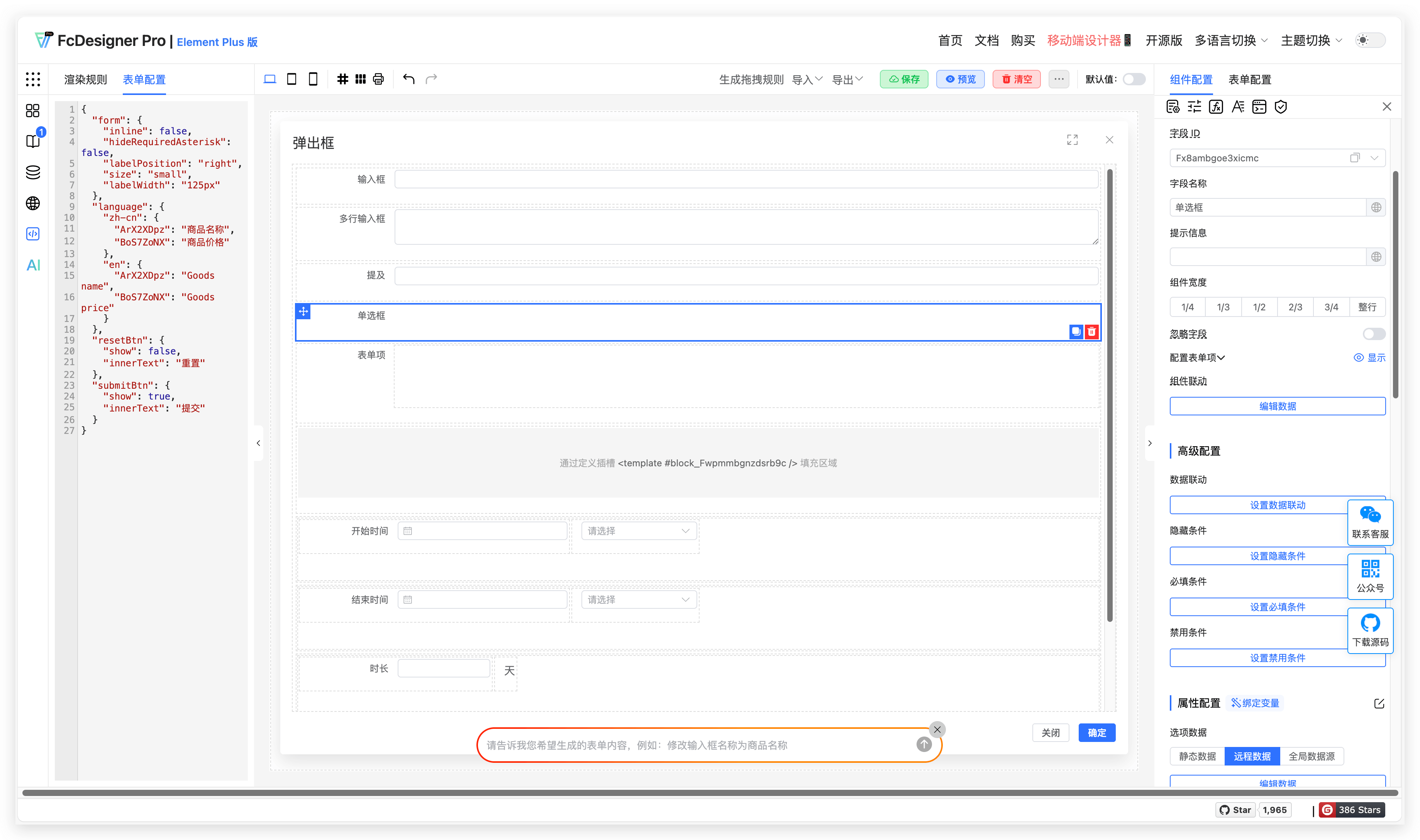
1.6.2 Form Configuration
Description: The form configuration feature provides a visual interface for form design through drag-and-drop components, property settings, and interaction logic. Configuration items cover field types, placeholders, required validation, linkage rules, and multi-language text, supporting real-time preview and one-click code generation, lowering the technical barrier.
Use Cases: Widely used in business scenarios requiring rapid form creation, such as questionnaire design for survey systems and form customization for event registration systems. Non-technical personnel can independently complete form development through visual operations, while also supporting export of configuration files for developers to extend, balancing flexibility and efficiency.
1.7 AI
Description: The intelligent AI form assistant helps you quickly generate and modify forms, making form design easy and efficient.
Use Cases: Automatically generate form content through AI Q&A.