


Global Data
Global data sources allow you to add commonly used data sources, supporting both static and remote data. They can be used in component configurations such as checkbox, radio, select, etc., and support extension.
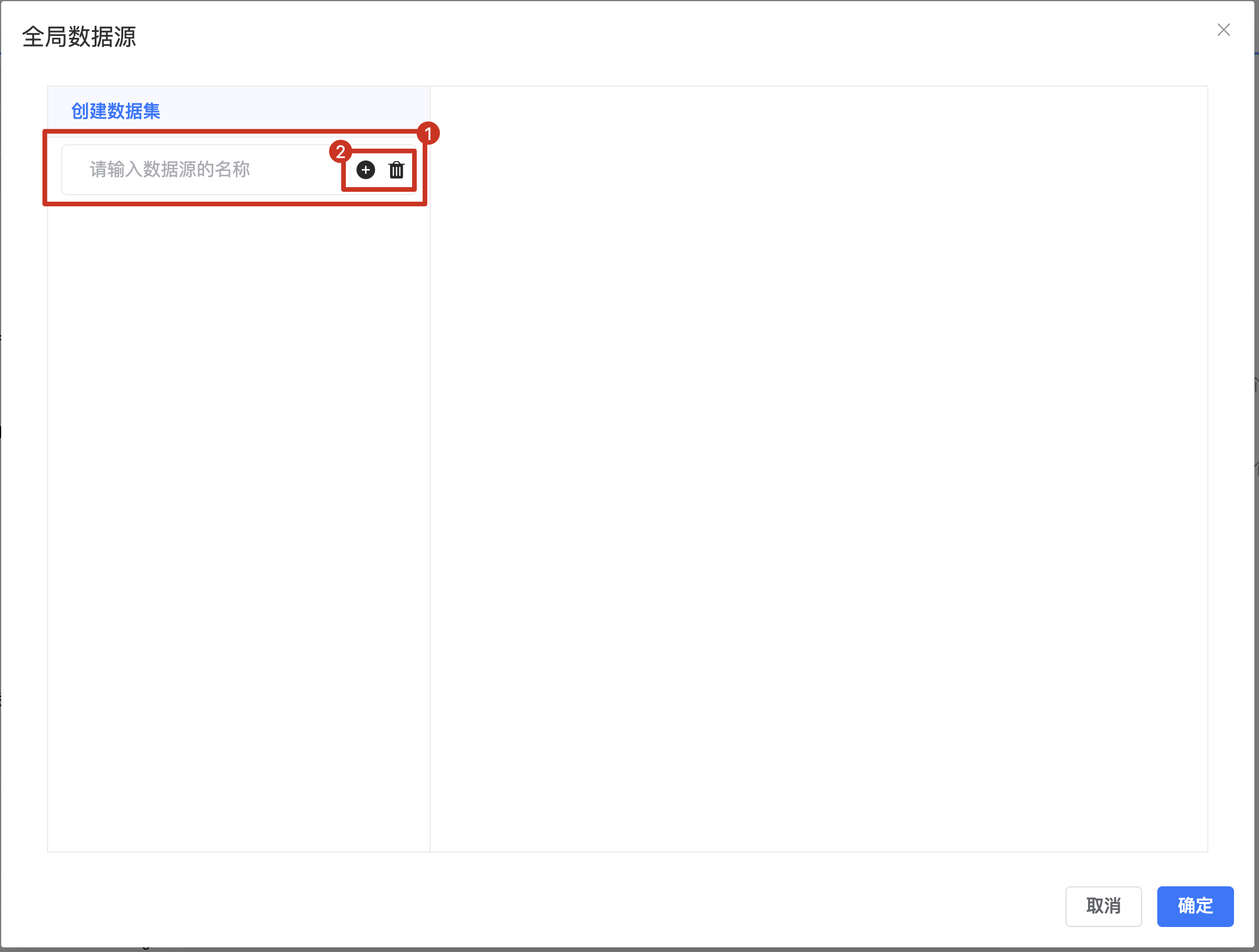
- Enter custom data source name
- Operation buttons, supporting add and delete
Remote Data
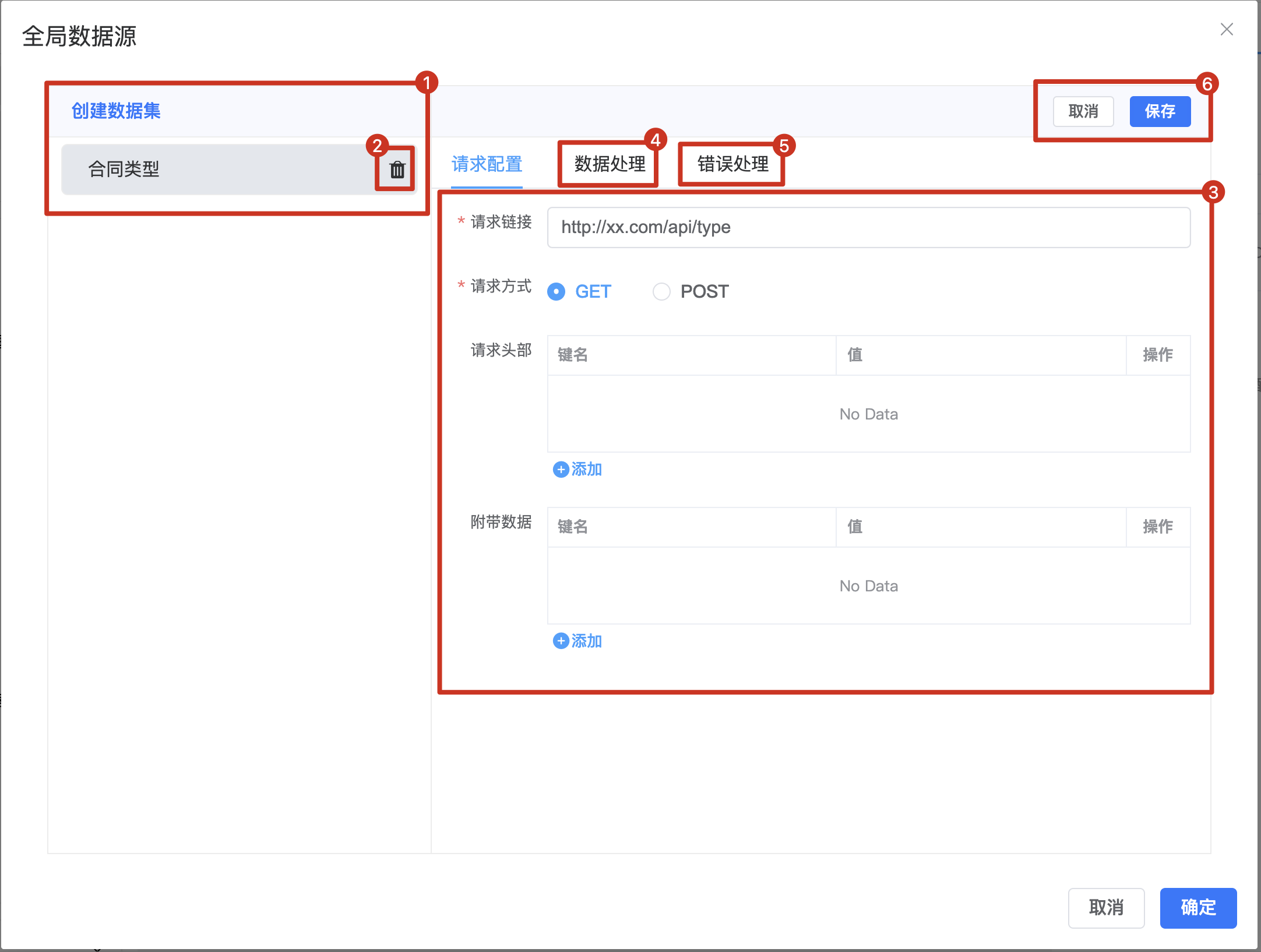
- Data list of global datasets, supports extension
- Delete added datasets
- Configure remote data request URL, request method, and other information
- Custom processing logic for remote interface data, returns processed data. By default, reads
res.data - Custom handling logic after interface request fails
- Save button: Click to save changes after modifying configuration
Static Data
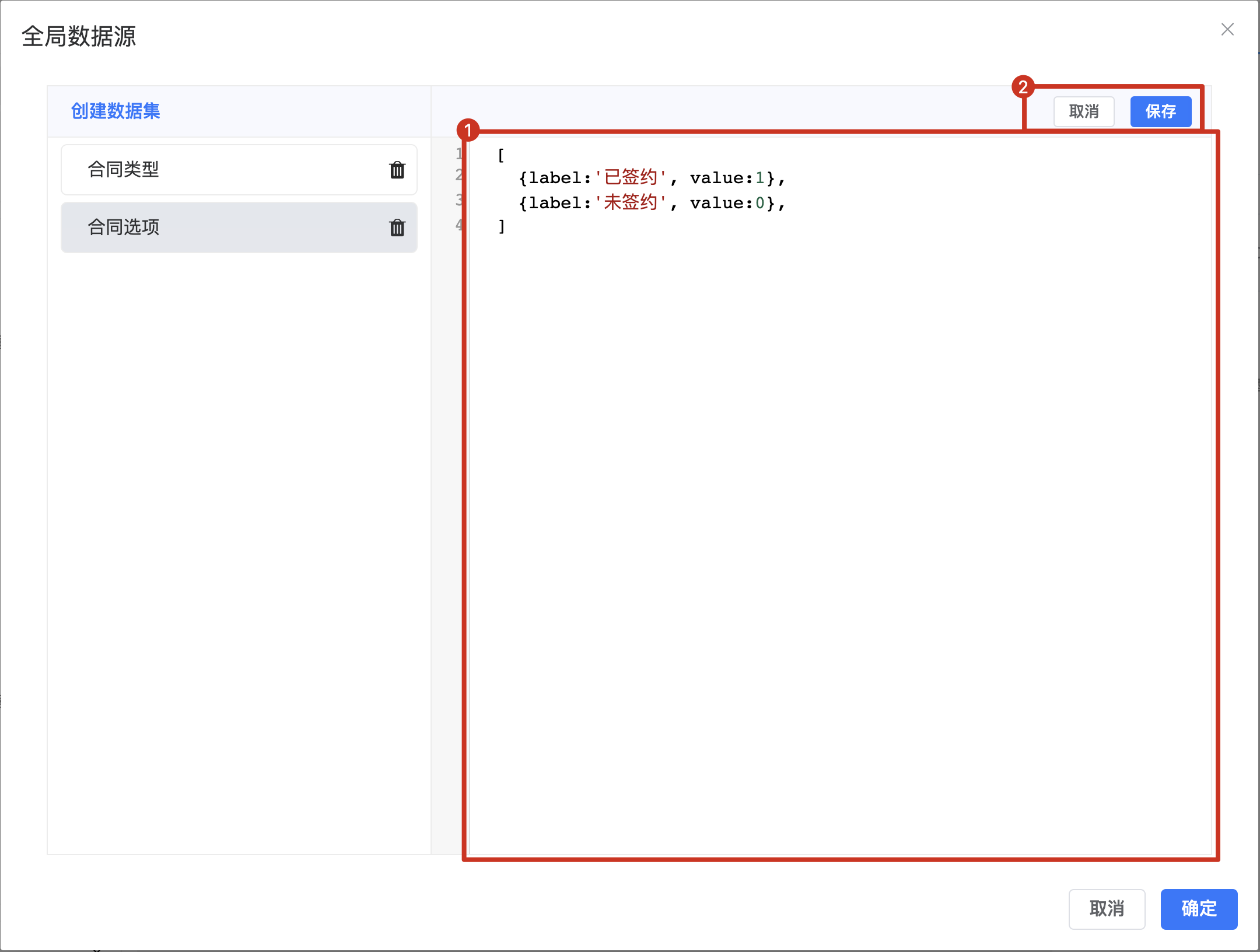
- Data content area: For complex data structures, data can be quickly set using JSON
- Save button: Click to save changes after modifying configuration
Using Global Data Source
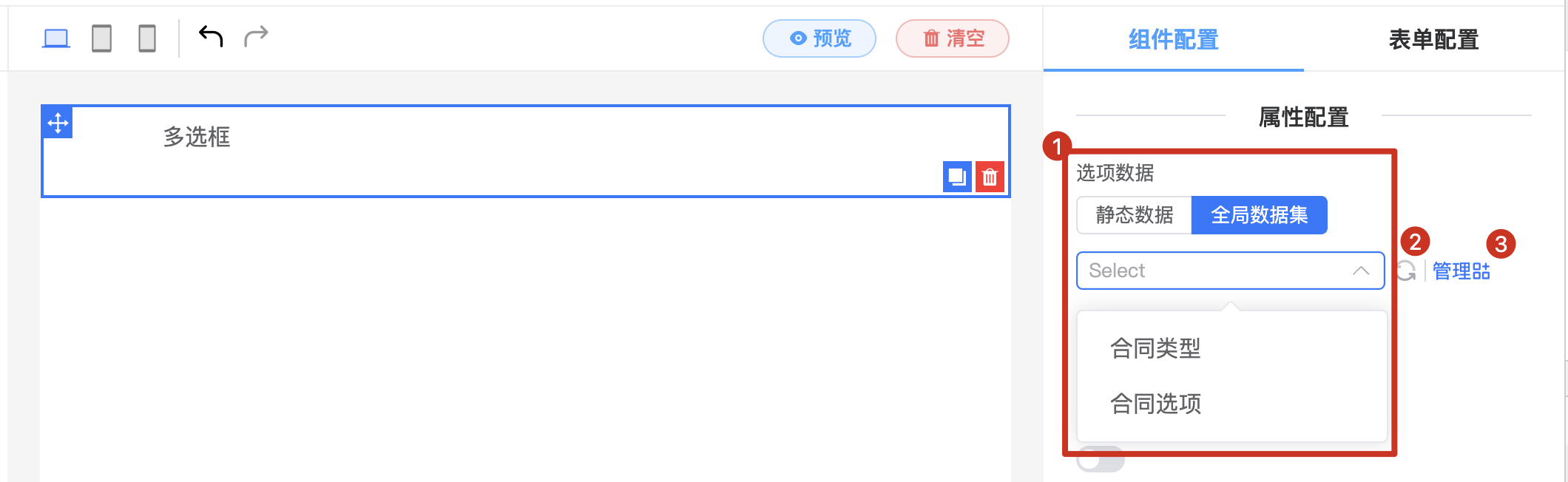
- Select data from global data sources
- Refresh button: Click to reload global data
- Management button: Opens the global data source management interface