


Configuration Panel Order
Adjust the order of configuration panels in the designer using config.configFormOrder to match your preferences or project requirements.
Data Structure
Configuration order is managed through the following data structure:
type configFormOrder = Array<'base' | 'advanced' | 'props' | 'slots' | 'style' | 'event' | 'validate'>;Default Order
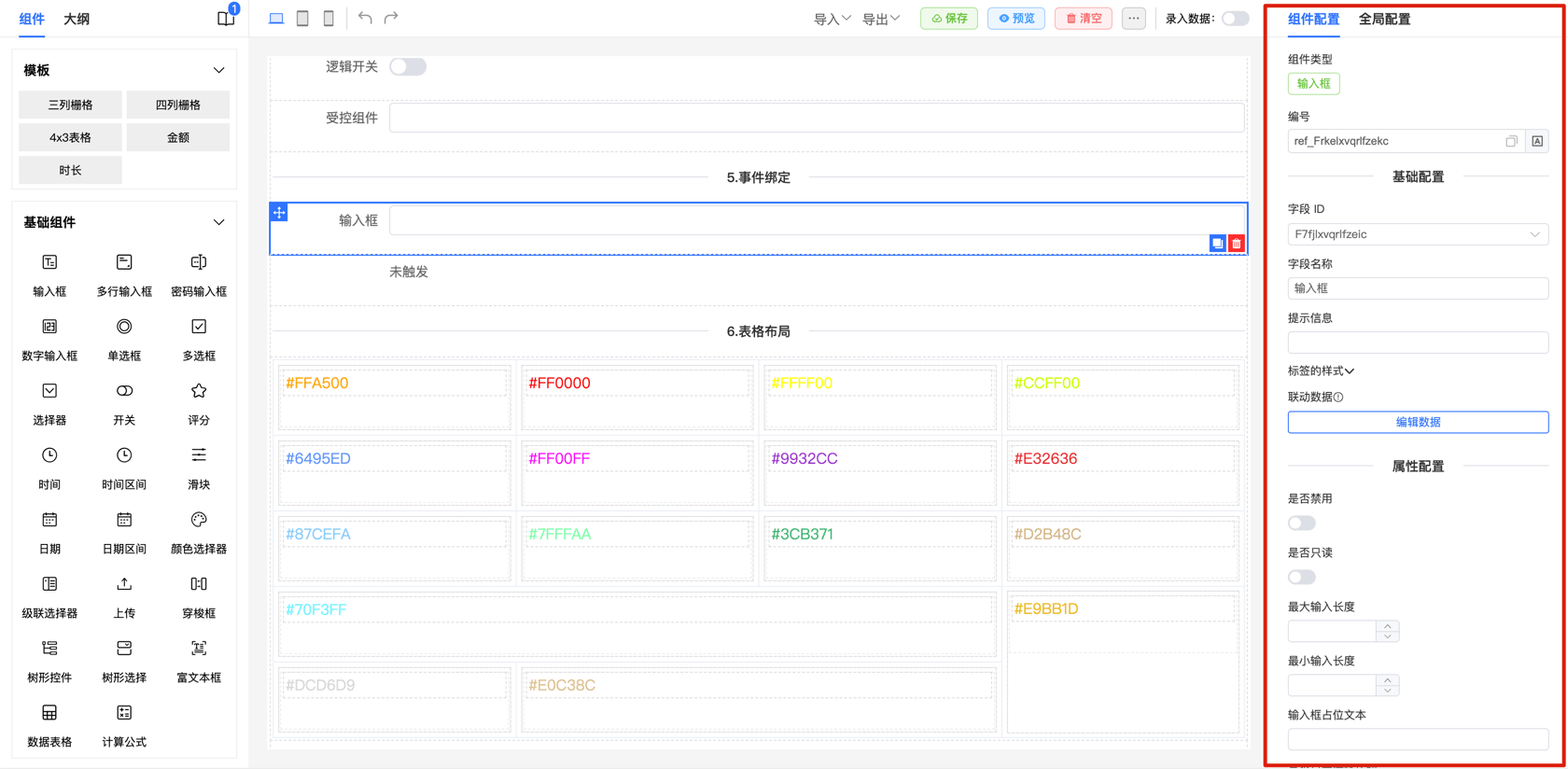
The default configuration item order in the designer is as follows:
base: Basic configuration
advanced: Advanced configuration
props: Component property configuration
slots: Quick slot configuration
style: Style configuration
event: Event configuration
validate: Validation configuration
These configuration items provide flexible options for adjusting different aspects of forms.
How to Adjust Configuration Order
To move "Component Property Configuration (props)" to the first position:
Example: Adjust Order Usage Example
Use the following configuration:
<template>
    <fc-designer ref="designer" :config="config" />
</template>

<script setup>
const config = {
    configFormOrder: ['base', 'advanced', 'props', 'slots', 'style', 'event', 'validate']
}
</script>
This configuration displays "Component Property Configuration (props)" first for quick property adjustments.