Hide Built-in Components and Menus
Hide built-in components you don't need in the form designer using configuration to customize the designer interface. Use config.hiddenItem and config.hiddenMenu to control component display and hiding.
Hide Components
Specify built-in components or templates that need to be hidden. Hide them by passing an array containing component identifiers:
vue
<template>
    <fc-designer :config="config" />
</template>

<script setup>
    const config = {
        // Hide input and password input
        hiddenItem: ['input', 'password'],
    }
</script>
Hide Component Groups and Menus
Hide entire component groups. Hide them by passing an array containing component group identifiers:
vue
<template>
    <fc-designer :config="config" />
</template>

<script setup>
    const config = {
        // Hide all sub-form components
        hiddenMenu: ['subform']
    }
</script>
View Component Identifiers
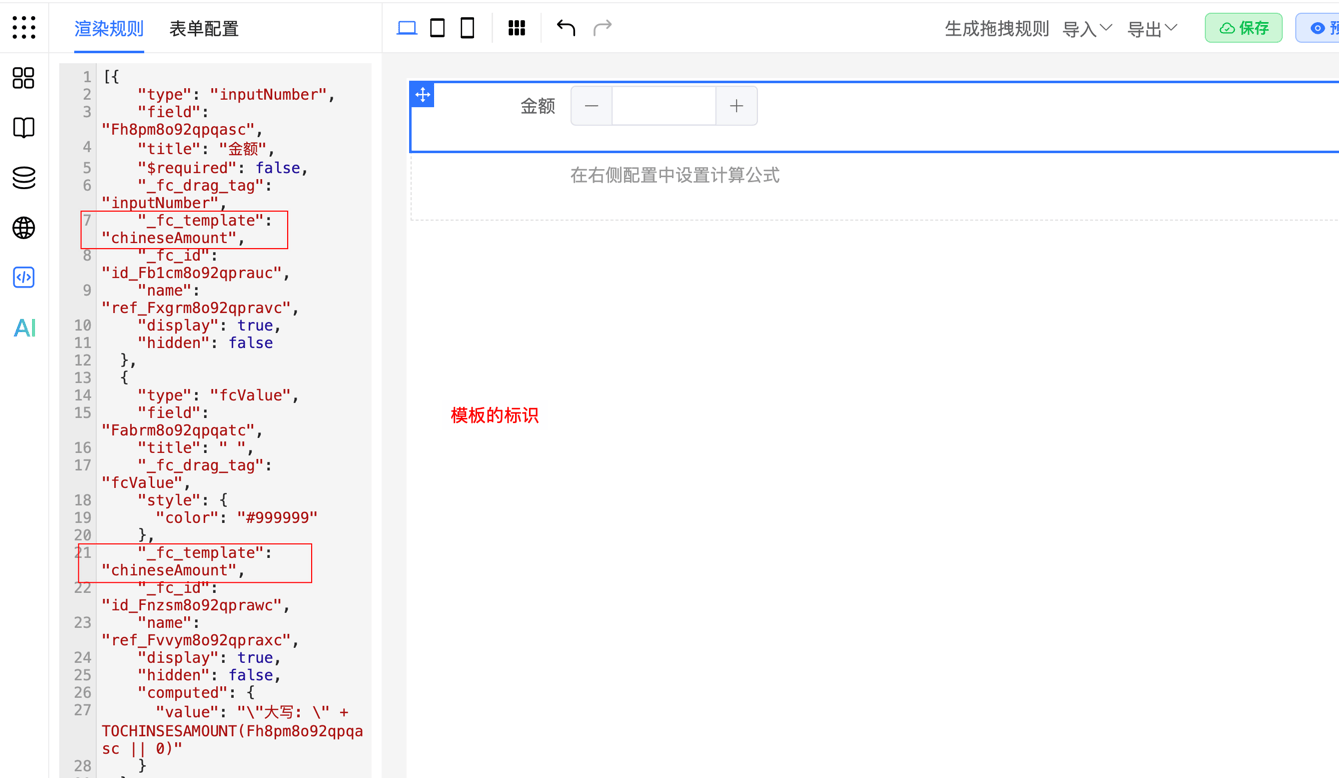
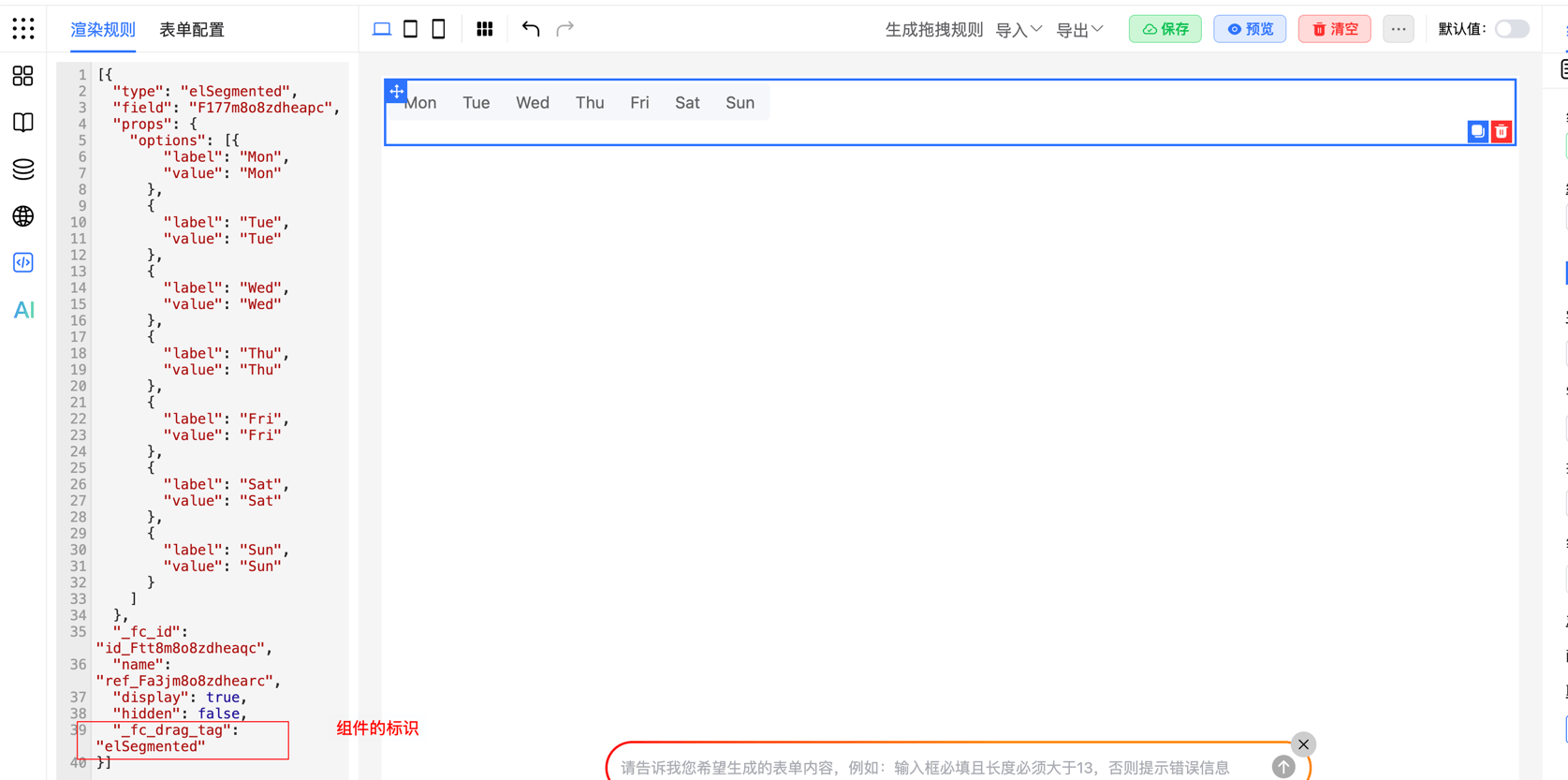
How to view component/template identifiers:
- Clear the current form and drag out the target component/template separately to view its unique identifier
- Locate the component's configuration rules in the JSON panel
View component identifier:
View template identifier: