


Function Module Visibility
Control the display and hiding of function modules in the designer by configuring the config object. These configurations help you customize the designer interface and functionality to match business requirements.
<template>
    <fc-designer ref="designer" :config="config"/>
</template>
<script setup>
    const config = {
        // Hide drag operation buttons
        hiddenDragMenu: false;
        // Hide drag buttons
        hiddenDragBtn: false;
        // Whether to show left toolbar
        showMenuBar?: true;
        // Whether to show quick layout button
        showQuickLayout?: true;
        // Whether to show grid line button
        showGridLine?: true;
        // Whether to show preview button
        showPreviewBtn?: true;
        // Whether to show print button
        showPrintBtn?: true;
        // Whether to show save button
        showSaveBtn?: false;
        // Whether to show right-side configuration interface
        showConfig?: true;
        // Whether to show component's basic configuration form
        showBaseForm?: true;
        // Whether to show component number
        showComponentName?: true;
        // Whether to show component linkage
        showControl?: true;
        // Whether to show module management
        showPageManage?: true;
        // Whether to show component's advanced configuration form
        showAdvancedForm?: true;
        // Whether to show component's property configuration form
        showPropsForm?: true;
        // Whether to show component's style configuration form
        showStyleForm?: true;
        // Whether to show component's event configuration form
        showEventForm?: true;
        // Whether to show component's validation configuration form
        showValidateForm?: true;
        // Whether to show JSON preview button
        showJsonPreview?: true;
        // Whether to show custom props button
        showCustomProps?: true;
        // Whether to show multi-language configuration
        showLanguage?: true;
        // Whether to show form configuration
        showFormConfig?: true;
        // Whether to show left template list
        showTemplate?: true;
        // Whether to show multi-device adaptation options
        showDevice?: true;
        // Control whether component validation only shows required validation
        validateOnlyRequired?: true;
    }
</script>
Hide Built-in Components
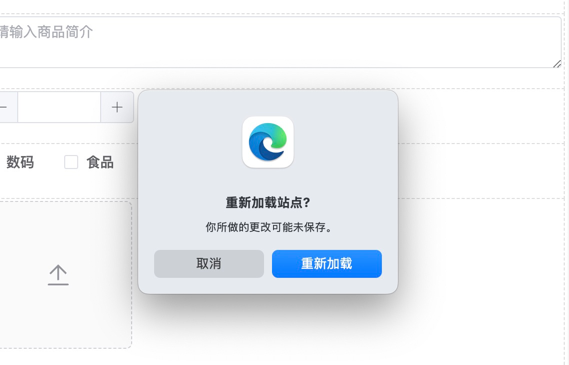
Disable Confirmation Dialog
<template>
    <fc-designer ref="designer" :config="config"/>
</template>
<script setup>
    const config = {
        exitConfirm: false // Disable confirmation dialog
    }
</script>
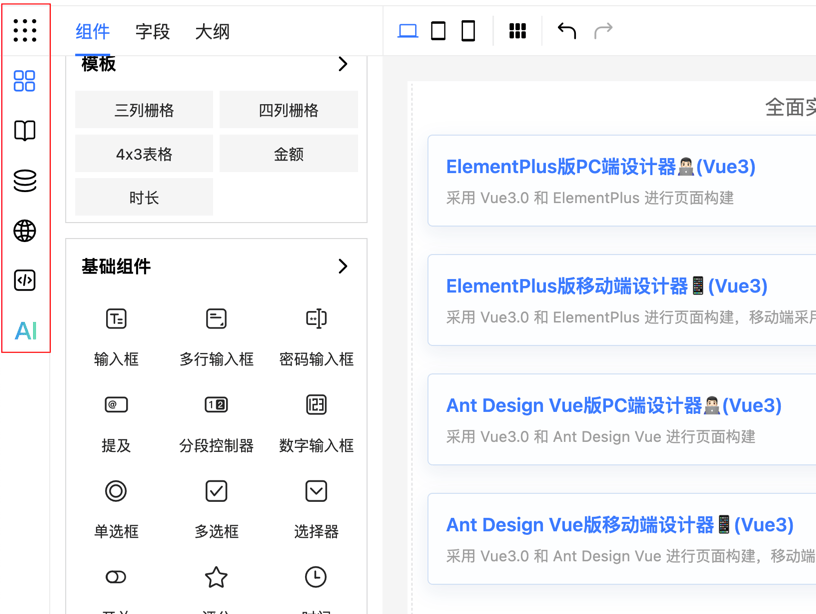
Hide Left Toolbar
<template>
    <fc-designer ref="designer" :config="config"/>
</template>
<script setup>
    const config = {
        showMenuBar: false // Hide left toolbar
    }
</script>
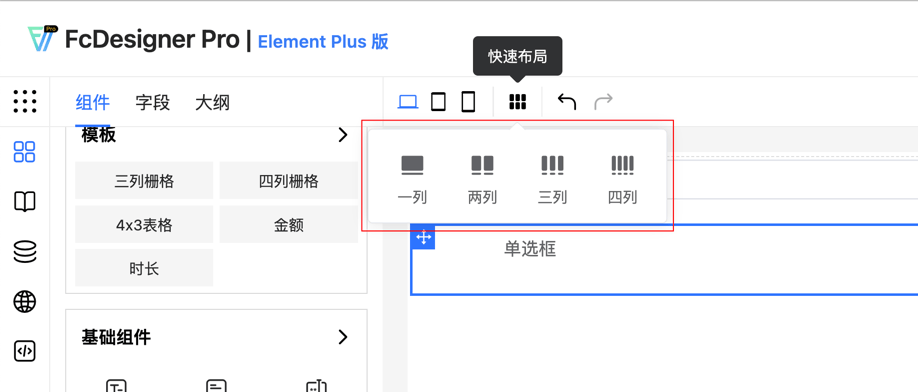
Hide Quick Layout Button
<template>
    <fc-designer ref="designer" :config="config"/>
</template>
<script setup>
    const config = {
        showQuickLayout: false // Hide quick layout button
    }
</script>
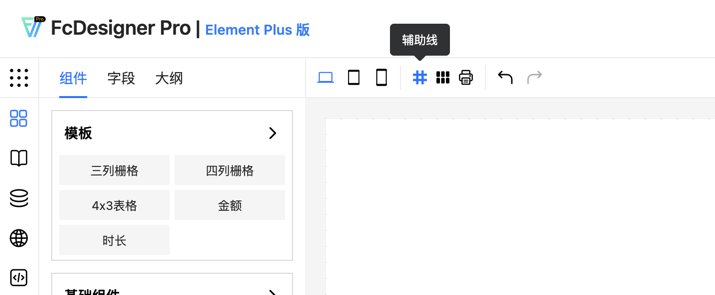
Hide Grid Line Button
<template>
    <fc-designer ref="designer" :config="config"/>
</template>
<script setup>
    const config = {
        showGridLine: false // Hide grid line button
    }
</script>
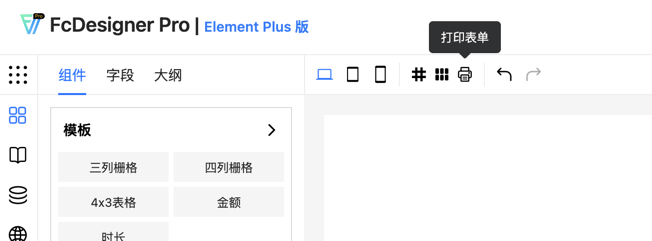
Hide Print Form Button
<template>
    <fc-designer ref="designer" :config="config"/>
</template>
<script setup>
    const config = {
        showPrintBtn: false // Hide print form button
    }
</script>
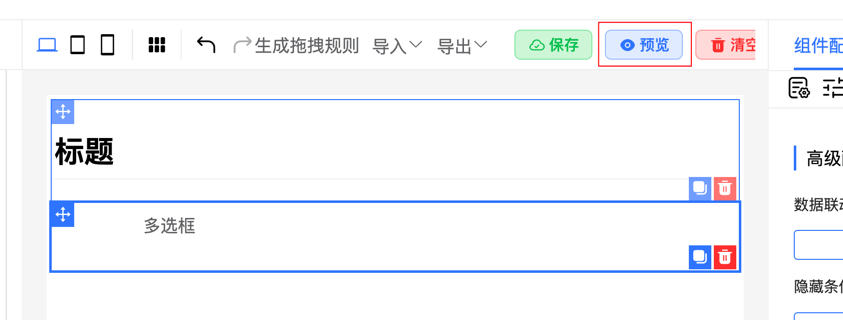
Hide Preview Button
<template>
    <fc-designer ref="designer" :config="config"/>
</template>
<script setup>
    const config = {
        showPreviewBtn: false // Hide preview button
    }
</script>
Hide Drag Operation Buttons
Control whether to show drag operation buttons. Setting to true will hide these buttons.

<template>
    <fc-designer ref="designer" :config="config"/>
</template>
<script setup>
    const config = {
        hiddenDragMenu: true // Hide drag operation buttons
    }
</script>
Hide Drag Buttons
Control whether to show drag buttons. Setting to true will hide these buttons.

<template>
    <fc-designer ref="designer" :config="config"/>
</template>
<script setup>
    const config = {
        hiddenDragBtn: true // Hide drag buttons
    }
</script>
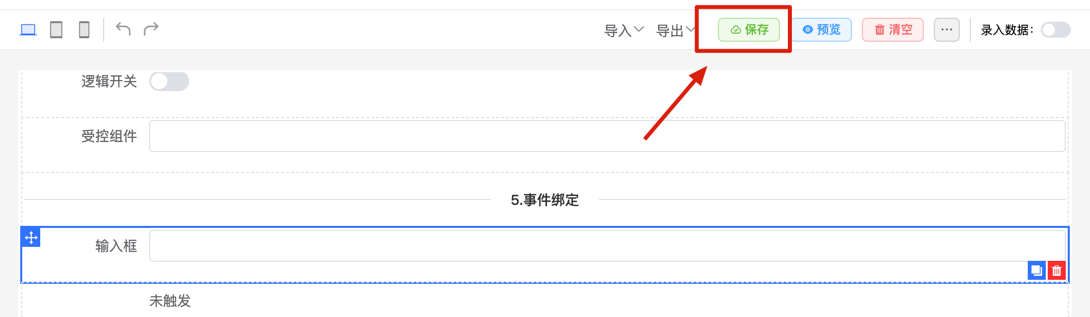
Show Save Button
Control whether to show the save button. Setting to true will show the save button, false will hide it.
<template>
    <fc-designer ref="designer" :config="config"/>
</template>
<script setup>
    const config = {
        showSaveBtn: true // Show save button
    }
</script>
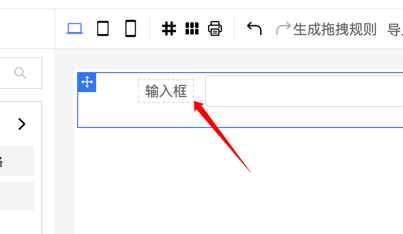
Hide Label Configuration
<template>
    <fc-designer ref="designer" :config="config"/>
</template>
<script setup>
    const config = {
        labelConfig: false // Hide label configuration
    }
</script>
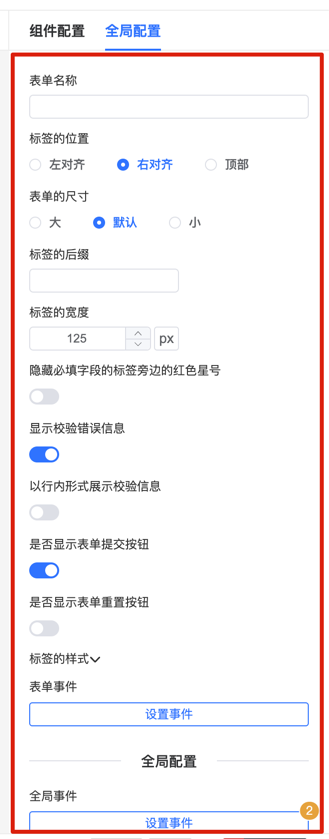
Hide Form Configuration
Control whether to show the form configuration interface. Set to false to hide form configuration.
<template>
    <fc-designer ref="designer" :config="config"/>
</template>
<script setup>
    const config = {
        showFormConfig: false // Hide form configuration
    }
</script>
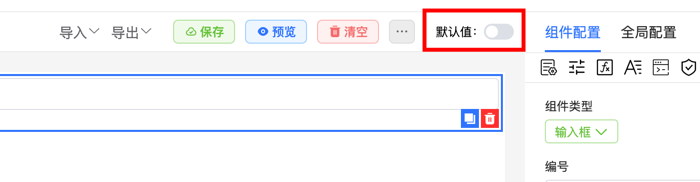
Hide Input Default Data Button
Control whether to show the input default data button. Set to false to hide the input default data button.
<template>
    <fc-designer ref="designer" :config="config"/>
</template>
<script setup>
    const config = {
        showInputData: false // Hide input default data button
    }
</script>
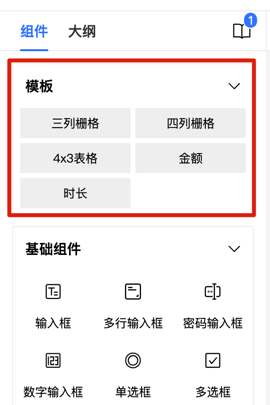
Hide Left Template List
Control whether to show the left template list. Set to false to hide the template list.
<template>
    <fc-designer ref="designer" :config="config"/>
</template>
<script setup>
    const config = {
        showTemplate: false // Hide left template list
    }
</script>
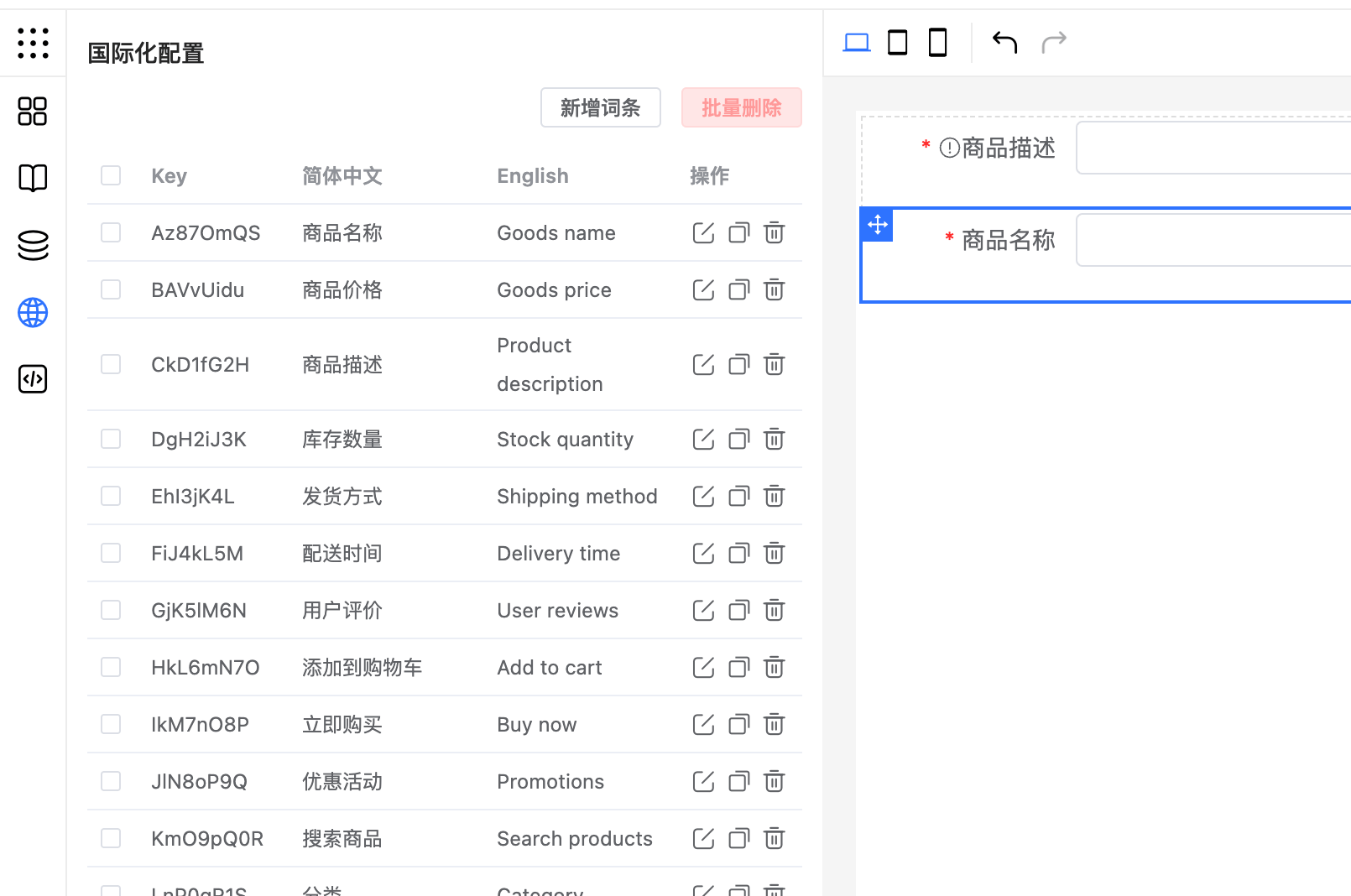
Hide Left Multi-language Configuration
Control whether to show the left multi-language configuration. Set to false to hide multi-language configuration.
<template>
    <fc-designer ref="designer" :config="config"/>
</template>
<script setup>
    const config = {
        showLanguage: false // Hide multi-language configuration
    }
</script>
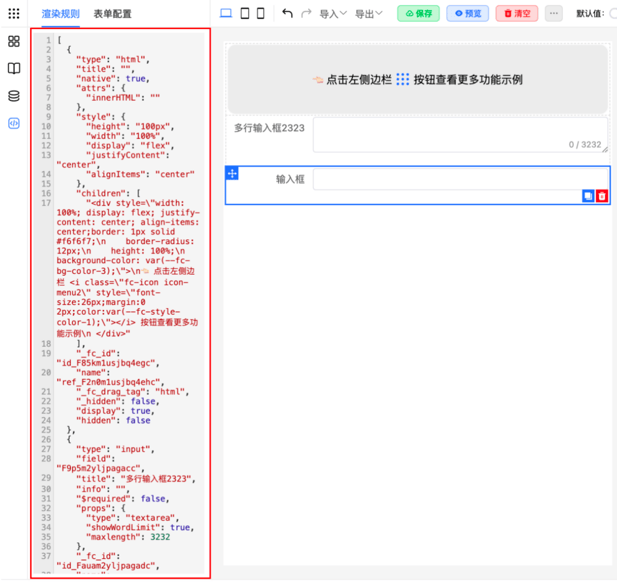
Hide Left JSON Preview
Control whether to show the left JSON preview module. Set to false to hide the JSON preview module.
<template>
    <fc-designer ref="designer" :config="config"/>
</template>
<script setup>
    const config = {
        showJsonPreview: false // Hide JSON preview module
    }
</script>
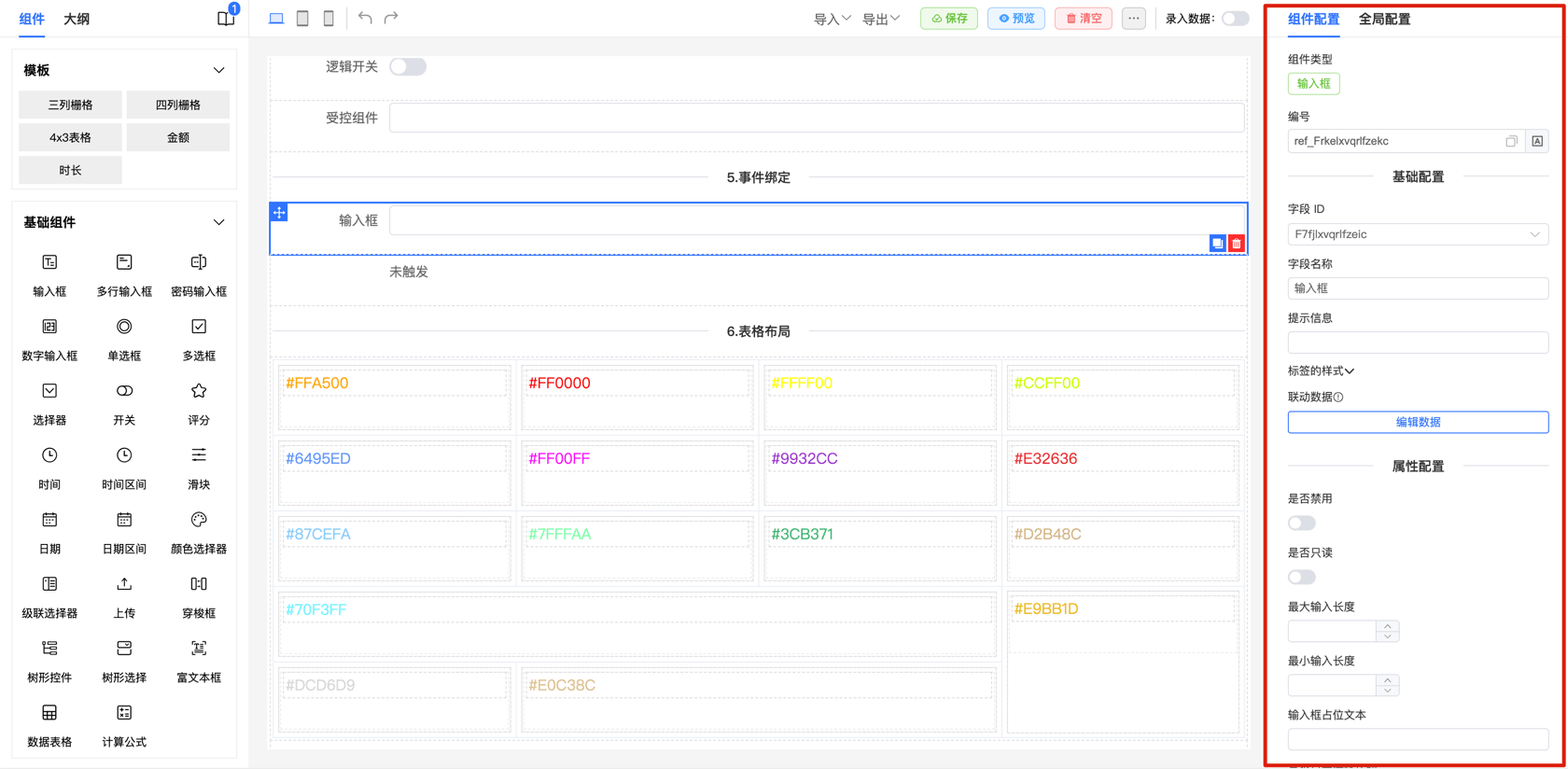
Hide Right Configuration Interface
Control whether to show the right configuration interface. Set to false to hide the configuration interface.
<template>
    <fc-designer ref="designer" :config="config"/>
</template>
<script setup>
    const config = {
        showConfig: false // Hide right configuration interface
    }
</script>
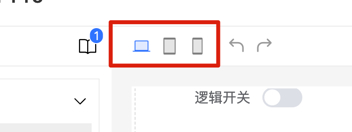
Hide Multi-device Adaptation Options
Control whether to show multi-device adaptation options. Set to false to hide these options.
<template>
    <fc-designer ref="designer" :config="config"/>
</template>
<script setup>
    const config = {
        showDevice: false // Hide multi-device adaptation options
    }
</script>
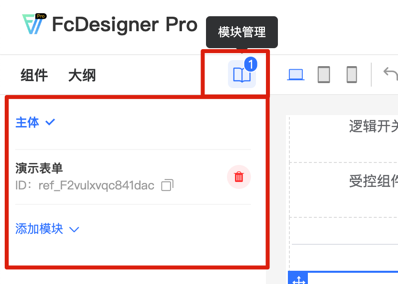
Hide Module Management
Control whether to show module management functionality. Set to false to hide module management.
<template>
    <fc-designer ref="designer" :config="config"/>
</template>
<script setup>
    const config = {
        showPageManage: false // Hide module management
    }
</script>
Hide Component Name Input
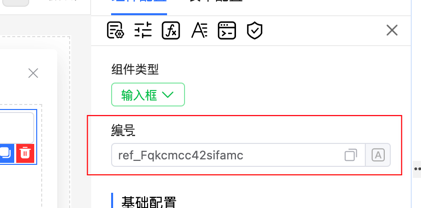
<template>
    <fc-designer ref="designer" :config="config"/>
</template>
<script setup>
    const config = {
        showComponentName: false // Hide component name input
    }
</script>
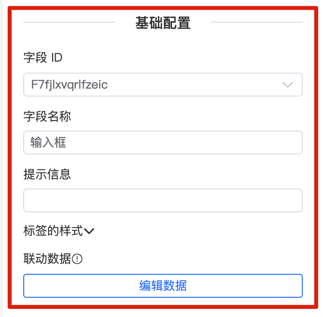
Hide Component Basic Configuration Form
Control whether to show the component's basic configuration form. Set to false to hide the basic configuration form.
<template>
    <fc-designer ref="designer" :config="config"/>
</template>
<script setup>
    const config = {
        showBaseForm: false // Hide component's basic configuration form
    }
</script>
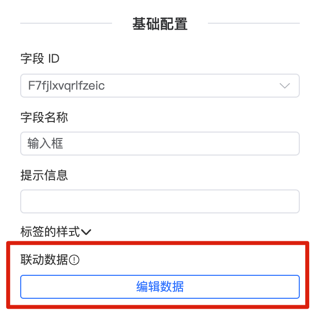
Hide Component Linkage Data Configuration
Control whether to show the component's linkage data configuration. Set to false to hide linkage data configuration.
<template>
    <fc-designer ref="designer" :config="config"/>
</template>
<script setup>
    const config = {
        showControl: false // Hide component's linkage data configuration
    }
</script>
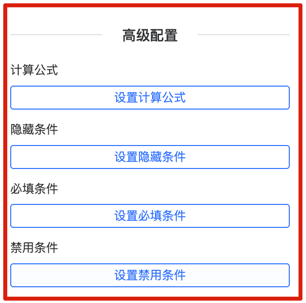
Hide Component Advanced Configuration
Control whether to show the component's advanced configuration form. Set to false to hide the advanced configuration form.
<template>
    <fc-designer ref="designer" :config="config"/>
</template>
<script setup>
    const config = {
        showAdvancedForm: false // Hide component's advanced configuration
    }
</script>
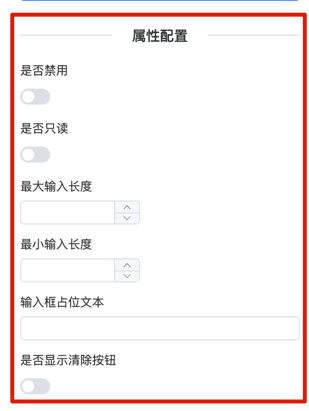
Hide Component Properties Configuration
Control whether to show the component's properties configuration form. Set to false to hide the properties configuration form.
<template>
    <fc-designer ref="designer" :config="config"/>
</template>
<script setup>
    const config = {
        showPropsForm: false // Hide component's properties configuration
    }
</script>
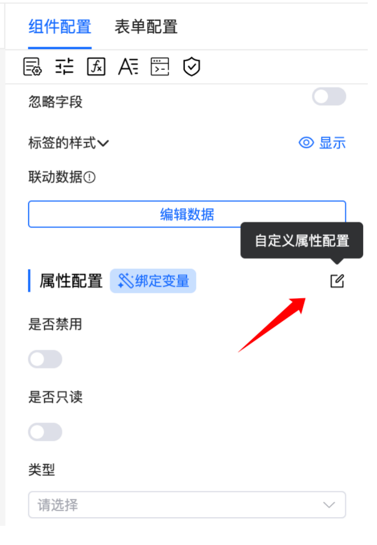
Hide Component Custom Properties Configuration
Control whether to show the component's custom properties configuration. Set to false to hide it.
<template>
    <fc-designer ref="designer" :config="config"/>
</template>
<script setup>
    const config = {
        showCustomProps: false // Hide component's custom properties configuration
    }
</script>
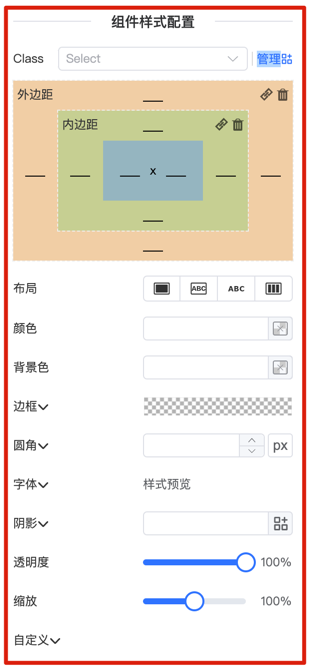
Hide Component Style Configuration
Control whether to show the component's style configuration form. Set to false to hide the style configuration form.
<template>
    <fc-designer ref="designer" :config="config"/>
</template>
<script setup>
    const config = {
        showStyleForm: false // Hide component's style configuration
    }
</script>
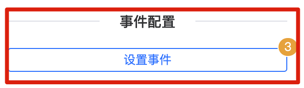
Hide Component Event Configuration
Control whether to show the component's event configuration form. Set to false to hide the event configuration form.
<template>
    <fc-designer ref="designer" :config="config"/>
</template>
<script setup>
const config = {
    showEventForm: false // Hide component's event configuration
}
</script>
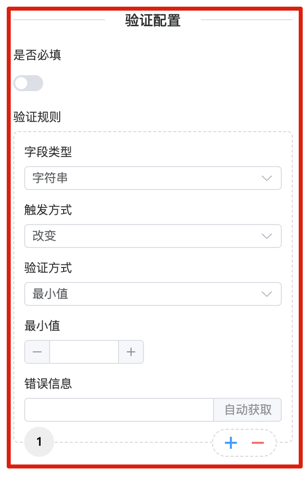
Hide Component Validation Configuration
Control whether to show the component's validation configuration form. Set to false to hide the validation configuration form.
<template>
    <fc-designer ref="designer" :config="config"/>
</template>
<script setup>
    const config = {
        showValidateForm: false // Hide component's validation configuration
    }
</script>
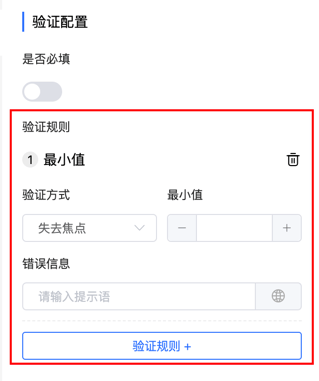
Show Only Required Validation
Control whether to show only required validation. Set to true to hide the validation configuration form.
<template>
    <fc-designer ref="designer" :config="config"/>
</template>
<script setup>
    const config = {
        validateOnlyRequired: true // Show only required validation
    }
</script>