


Save Form Design
Save form designs to persist them across page refreshes. Essential for managing complex forms and restoring previous states.
Important
Always use formCreate.parseJson instead of JSON.parse, and formCreate.toJson instead of JSON.stringify to ensure correct data format.
Show Save Button
Enable the built-in save button with config.showSaveBtn. Users can trigger save operations directly from the designer.
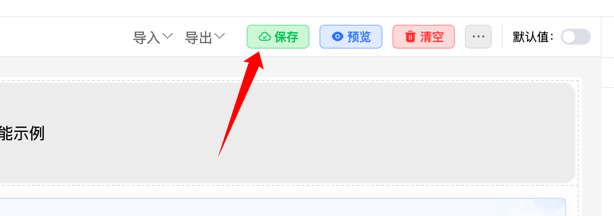
Enable the save button:
{
    config: {
        showSaveBtn: true
    }
}
Save Data
Clicking the save button triggers a save event. Handle this event to save form rules and configuration to your server or local storage.
Example
Save form data:
<template>
    <fc-designer ref="designer" @save="handleSave" :config="config"/>
</template>
<script setup>
    const config = {
        showSaveBtn: true
    }
    function handleSave ({rule, options}) {
        // Save form rules and configuration to backend
        axios.post('/api/saveForm', {
            rules: rule, // JSON string
            options: options // JSON string
        }).then(response => {
            console.log('Form saved successfully', response.data);
        }).catch(error => {
            console.error('Form save failed', error);
        });
    }
</script>
When users click save, the form rules and configuration are sent to your API as JSON.
Load Data
Load previously saved forms by retrieving JSON rules and configuration from storage and applying them to the designer.
Example
Load saved form data:
<template>
    <fc-designer ref="designer" @save="handleSave" :config="config"/>
</template>
<script setup>
    const designer = ref(null)
    onMounted(async () => {
        try {
            // Load saved form data from server
            const { data } = await axios.get('/api/getForm');
            const { ruleJson, optionsJson } = data;
            // Restore form design
            designer.value.setOptions(optionsJson);
            designer.value.setRule(ruleJson);
        } catch (error) {
            console.error('Failed to load form data', error);
        }
    });
</script>
On component mount, the application loads saved data from the server and applies it to the designer to restore the form state.
With these methods, you can build a complete form management system that supports creation, saving, loading, and updating.