


Variables
The designer supports defining and binding variables, allowing dynamic retrieval and use of data in forms. Use variables to easily bind form data with external data sources and perform dynamic updates when needed.
This feature is only available in the Pro version of the designer. Learn more about Pro version features
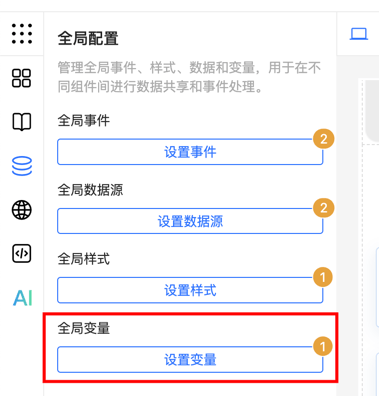
Define Global Variables
The designer supports custom calculated variables. Define variables in functions and bind them to forms. Custom variable values can be dynamically calculated based on external data sources or logic. When variable values change, components bound to these variables automatically update.
Custom Variable Example
Define a token variable and read its value from Cookie. If there is no token in Cookie, use the default value "default Token":
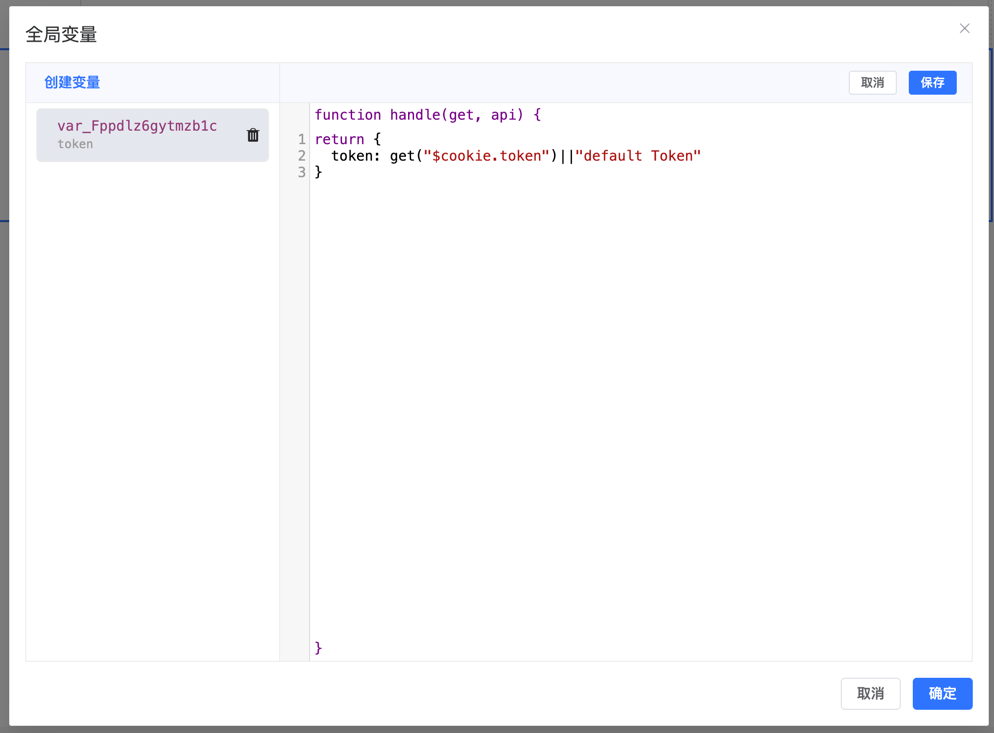
function handle(get, api) {
    return {
        token: get("$cookie.token")||"default Token"
    }
}
In the function, get is a function used to access values of built-in variables or custom variables. When the token variable value changes, all components dependent on token automatically re-render, maintaining data real-time and consistency.
Define External Variables
Example 1: Extend in main.js
Define a global globalToken variable to store user credentials, which can be conveniently called when submitting forms and loading remote data:
import formCreate from '@form-create/element-ui';
// Simulate method to get token
import useToken from '@/state/token';
// Get token
const token = useToken().value;
// Define `globalToken` variable with value token
formCreate.setData('globalToken', token);
Example 2: Extend in Component
Define a cityOptions variable to store city list data. Form components can directly use this data as dropdown options for users to select:
<template>
    <fc-designer ref="designer"/>
</template>
<script setup>
    import formCreate from '@form-create/element-ui';
    // Simulate loading options data
    import {getCityOptions} from '@/api';
    getCityOptions().then(options=>{
        // Import cityOptions variable
        formCreate.setData('cityOptions', options);
    })
</script>
Example 3: Extend in Event
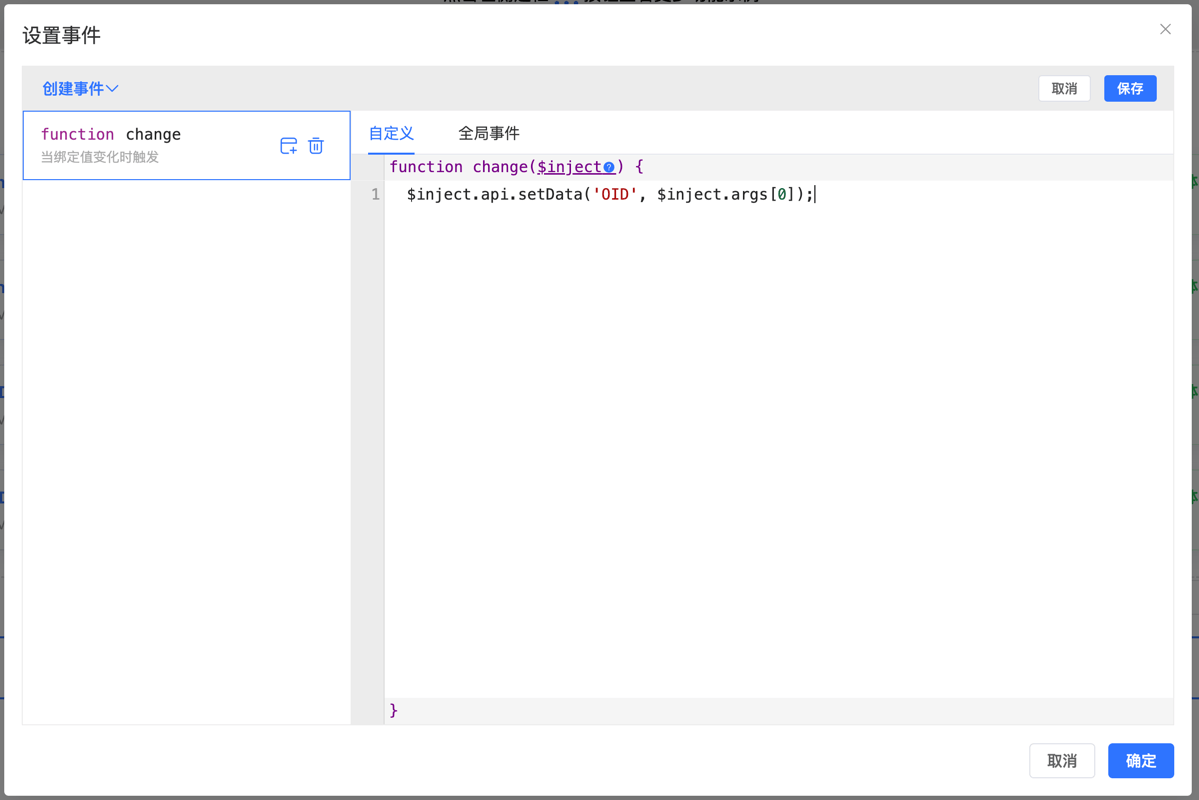
Define OID variable to store current Select component selected value for subsequent interface data retrieval:
Template Variable Syntax
Template variables support multiple syntax formats, including direct variable references, accessing array elements, object properties, and dynamic key names, providing flexible expression support for complex data binding and dynamic content generation:
// Get variable
{{globalToken}}
// Get specified array element
{{$var.array[0]}}
// Get specified object property value
{{$var.object.group.key}}
// Get value through dynamic key name
{{$var.object[$var.array[0]].key}}
Using Variables
Note
Before reading variables, ensure data has been correctly imported, otherwise it may cause functional anomalies or errors.
Get Through API
// Get external variable
api.getData('globalToken');
api.getData('cityOptions');
// Get built-in variable
api.getData('$form.userName');
api.getData('$cookie.token');
// Get global variable
api.getData('$var.var_Fppdlz6gytmzb1c');
// Get global data
api.getData('$globalData.merchant');
api.getGlobalData('merchant').then(res=>{
});
Get in Global Variables
// Get external variable
get('globalToken');
get('cityOptions');
// Get built-in variable
get('$form.userName');
get('$cookie.token');
// Get global variable
get('$var.var_Fppdlz6gytmzb1c');
// Get global data
get('$globalData.merchant');
Use in Data Request/Bind Variables
// Get external variable
{{globalToken}}
{{cityOptions}}
// Get built-in variable
{{$form.userName}}
{{$cookie.token}}
// Get global variable
{{$var.var_Fppdlz6gytmzb1c}}
// Get global data
{{$globalData.merchant}}
Example 1: Global Variable
Read variable globalToken in global variables (refer to previous example):
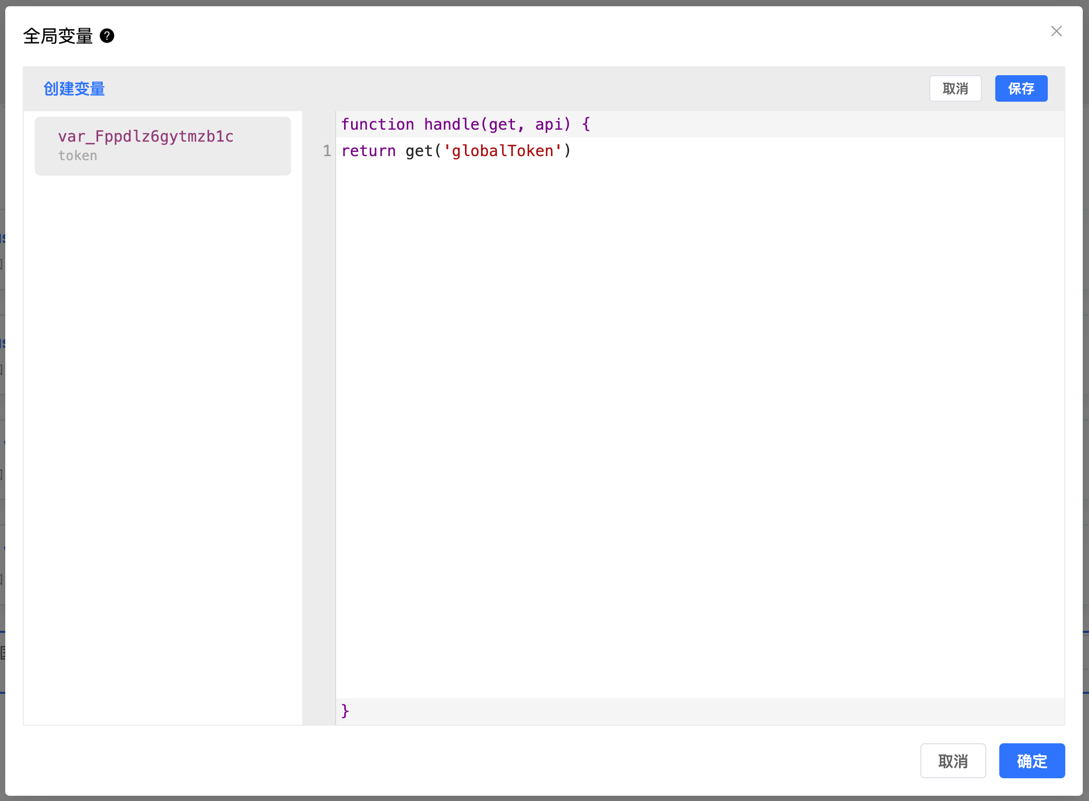
function handle(get, api) {
    return get('globalToken');
}
Example 2: Event
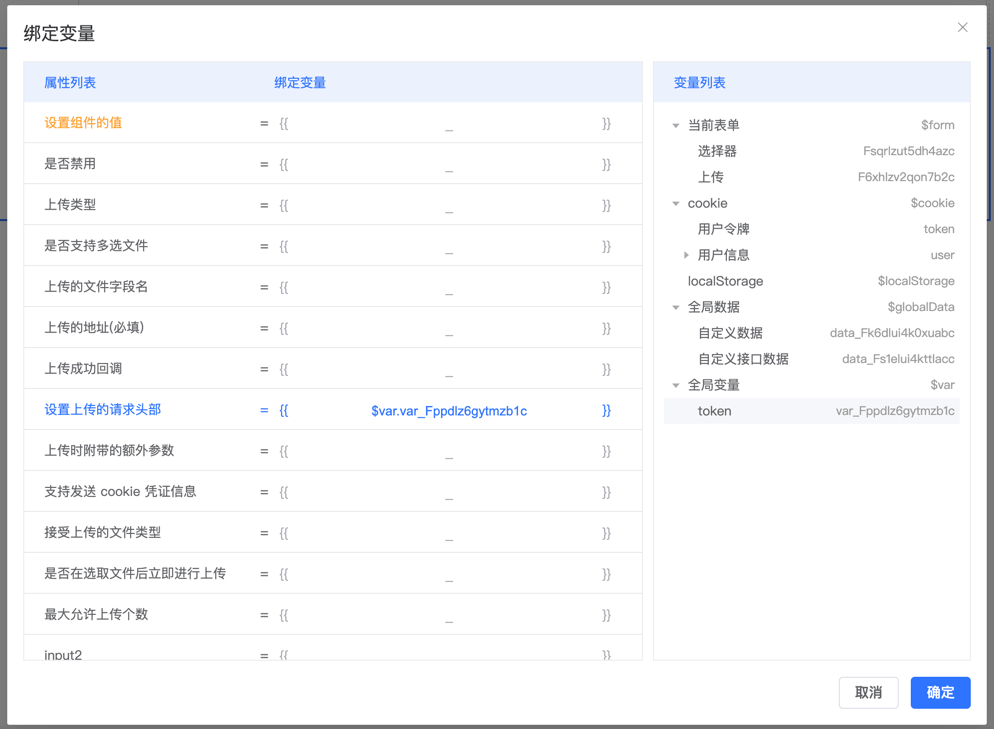
Inject the previously defined global variable var_Fppdlz6gytmzb1c.token in the beforeFetch event to configure the request:
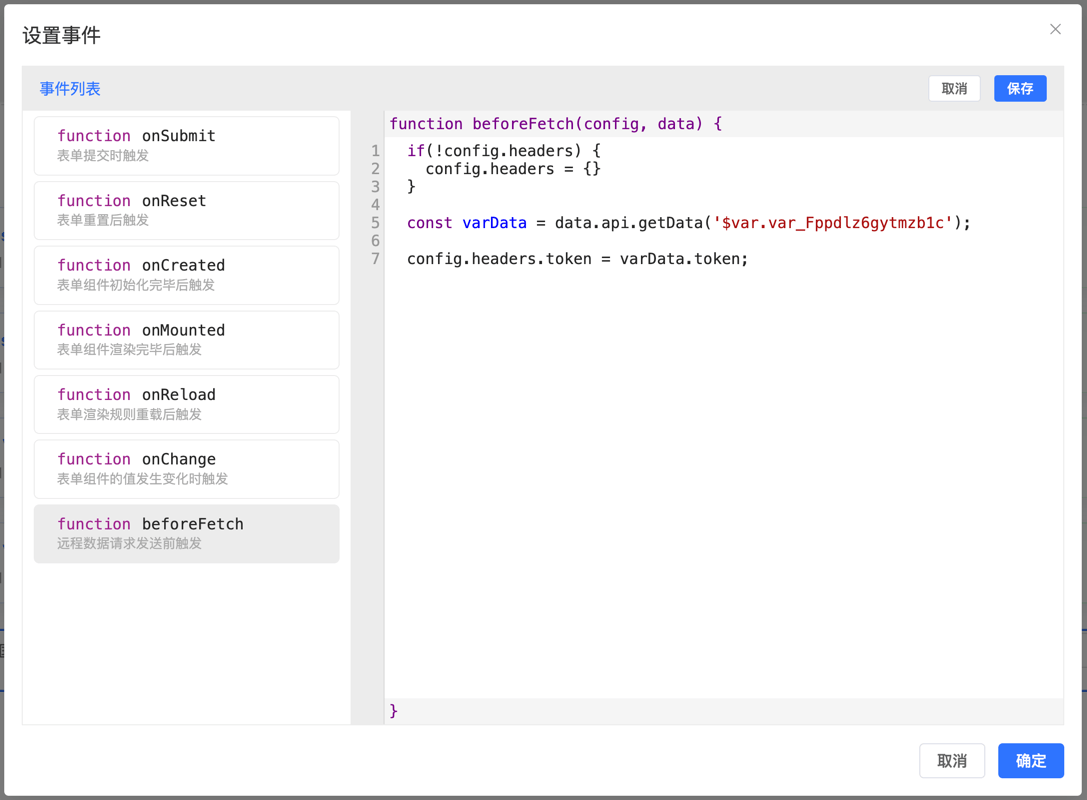
function beforeFetch (config, data) {
  if(!config.headers) {
      config.headers = {}
  }
  const varData = data.api.getData('$var.var_Fppdlz6gytmzb1c');
  config.headers.token = varData.token;
}
Example 3: Bind Variable
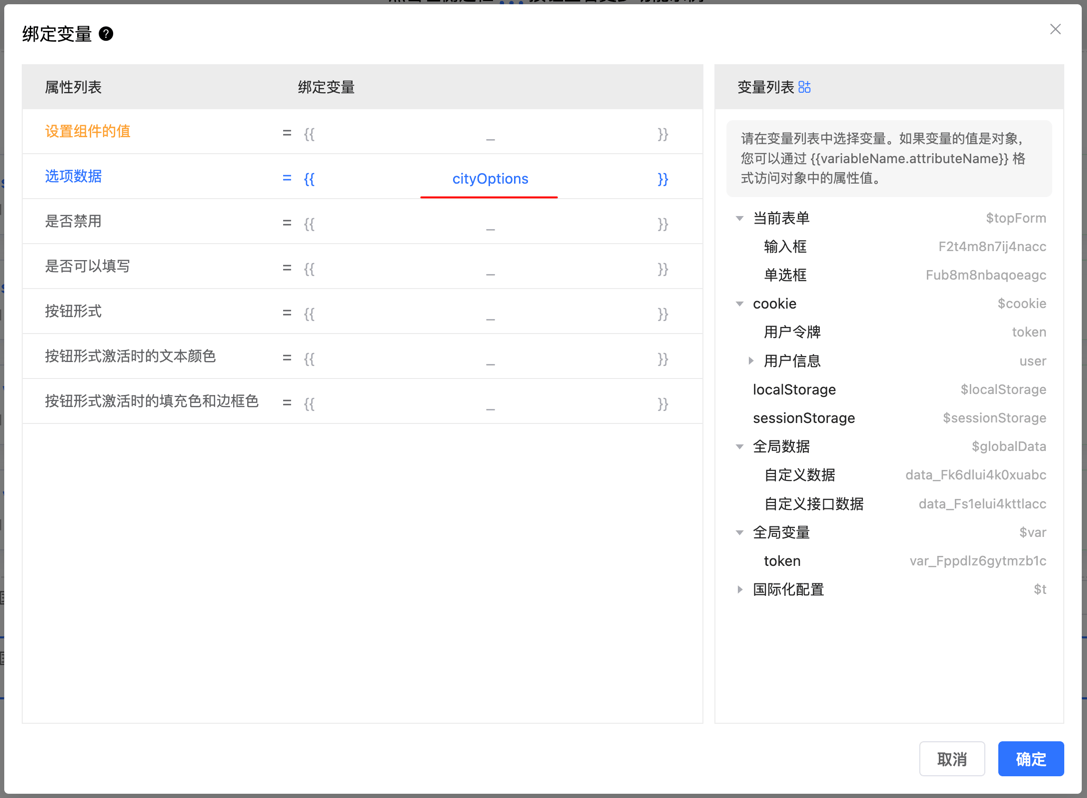
Bind predefined option data to radio component: assign cityOptions variable as the radio component's option list:
Example 4: Data Request
Reference defined variables in data request configuration (refer to previous example):
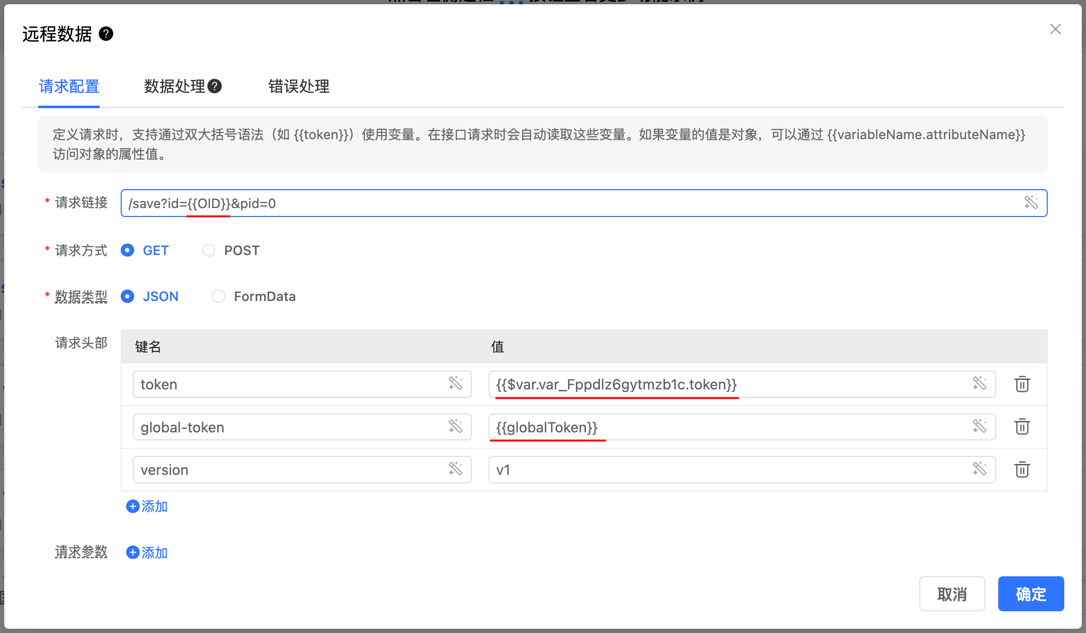
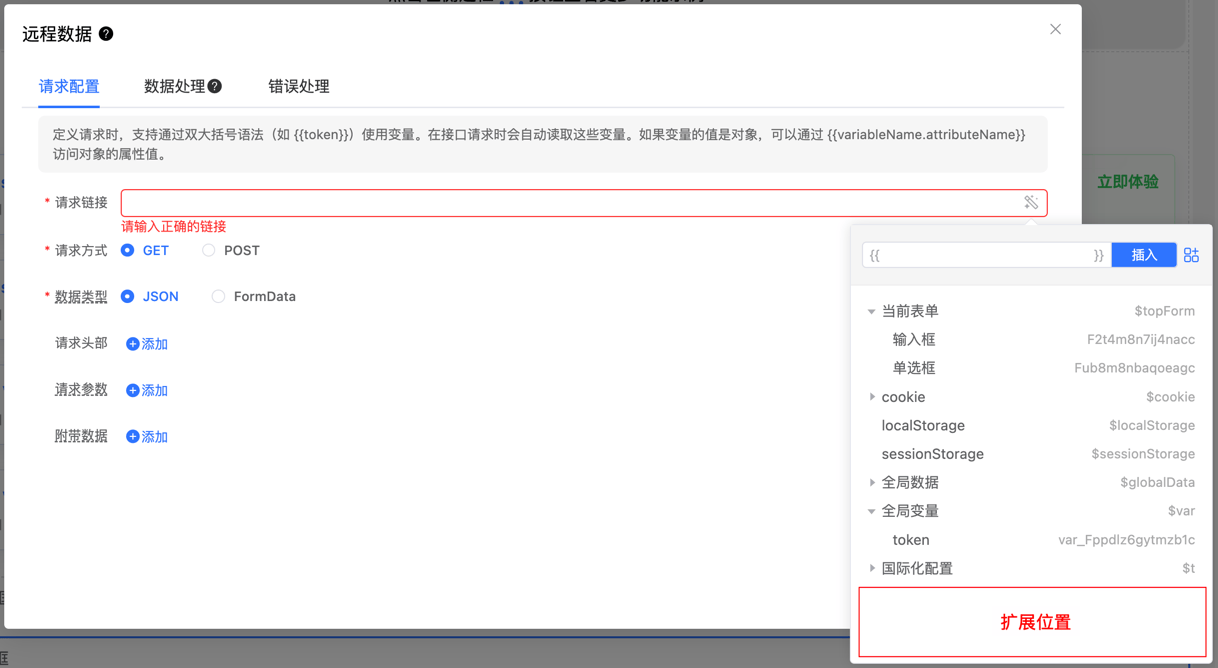
When defining requests, variables can be used through double curly brace syntax (such as {{token}}). These variables are automatically read during interface requests. If the variable value is an object, access object property values through {{variableName.attributeName}}.
Built-in Variables
The designer provides built-in variables for getting data from different sources:
| Variable Name | Description |
|---|---|
| $topForm | Get data from outer form |
| $form | Get data from form |
| $options | Get data from form configuration |
| $cookie | Get data from cookie |
| $localStorage | Get data from localStorage |
| $sessionStorage | Get data from sessionStorage |
| $globalData | Get data from global data source |
| $var | Get data from global variables |
| $mobile | Whether currently on mobile |
| $preview | Whether currently in read mode |
Note
Variables starting with "$" are system built-in special variables. Custom variables should use normal naming (such as userData) without the "$" prefix.
Get Form Data
Through the $form variable, access values of various components in the form. For example, to get the value of the userName component in the current form, use the following methods:
// Get through API
api.getData('$form.userName');
// Get in global variables
get('$form.userName');
// Use in data request/bind variables
//{{$form.userName}}
Read Cookie
Use the $cookie variable to get data from Cookie. For example, to read the value of token:
// Get through API
api.getData('$cookie.token');
// Get in global variables
get('$cookie.token');
// Use in data request/bind variables
//{{$cookie.token}}
Read localStorage
Through the $localStorage variable, get data from localStorage. For example, get the id from the user object:
// Get through API
api.getData('$localStorage.user.id');
// Get in global variables
get('$localStorage.user.id');
// Use in data request/bind variables
//{{$localStorage.user.id}}
Read Global Data
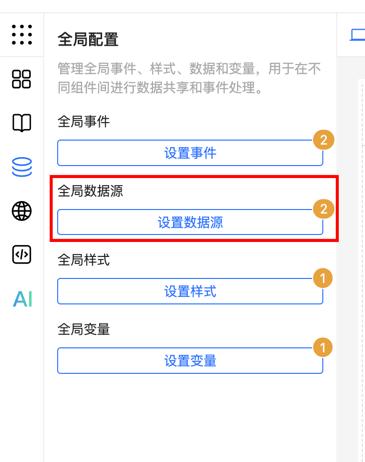
Use the $globalData variable to access data in global data sources, which may be obtained from remote servers. For example, get mer_id from merchant:
// Get through API
api.getData('$globalData.merchant.mer_id');
api.getGlobalData('merchant').then(res=>{
    const mer_id = res.mer_id;
});
// Get in global variables
get('$globalData.merchant.mer_id');
// Use in data request/bind variables
//{{$globalData.merchant.mer_id}}
Read Global Variables
Access global variables through the $var variable. For example, get the value of price:
// Get through API
api.getData('$var.price');
// Get in global variables
get('$var.price');
// Use in data request/bind variables
//{{$var.price}}
Import Global Variables
Use the setGlobalVariable method to inject global variables into the designer:
<template>
    <fc-designer ref="designer"/>
</template>
<script setup>
    import {onMounted} from "vue";
    const designer = ref(null);
    // Note: Must wait for component initialization to complete before calling its methods
    onMounted(() => {
        designer.value.setGlobalVariable({
            "var_Fppdlz6gytmzb1c": {
                label: "token",
                deletable: false,
                handle: function (get, api) {
                    return get('$cookie.token') || 'default Token'
                }
            },
            "var_Fzmum8ncpvjrajc": {
                label: "username",
                deletable: false,
                handle: function (get, api) {
                    return get('$form.username')
                }
            },
        });
    });
</script>
Modify Variables
Modify External Data
Two ways to modify external data: use formCreate.setData for global data updates, or use the component API instance's setData method for local data modification to achieve dynamic data management and state synchronization:
// Global modification
formCreate.setData('globalToken', 'xxxxxx');
// Local modification
api.setData('globalToken', 'xxxxxx');
Modify Global Data Source
Update global data sources through the api.setGlobalData method, which is equivalent to using api.setData with a path specifying the $globalData prefix:
api.setGlobalData('merchant', merchant);
// Equivalent to
api.setData('$globalData.merchant', merchant);
Modify Global Variables
Modify global variables through the api.setGlobalVar method, which is equivalent to using api.setData with a path specifying the $var prefix:
api.setGlobalVar('var_Fppdlz6gytmzb1c', newData);
// Equivalent to
api.setData('$var.var_Fppdlz6gytmzb1c', newData);
Note
After overriding global data sources and global variables, the original global configuration data will no longer take effect after updates and will not automatically update.
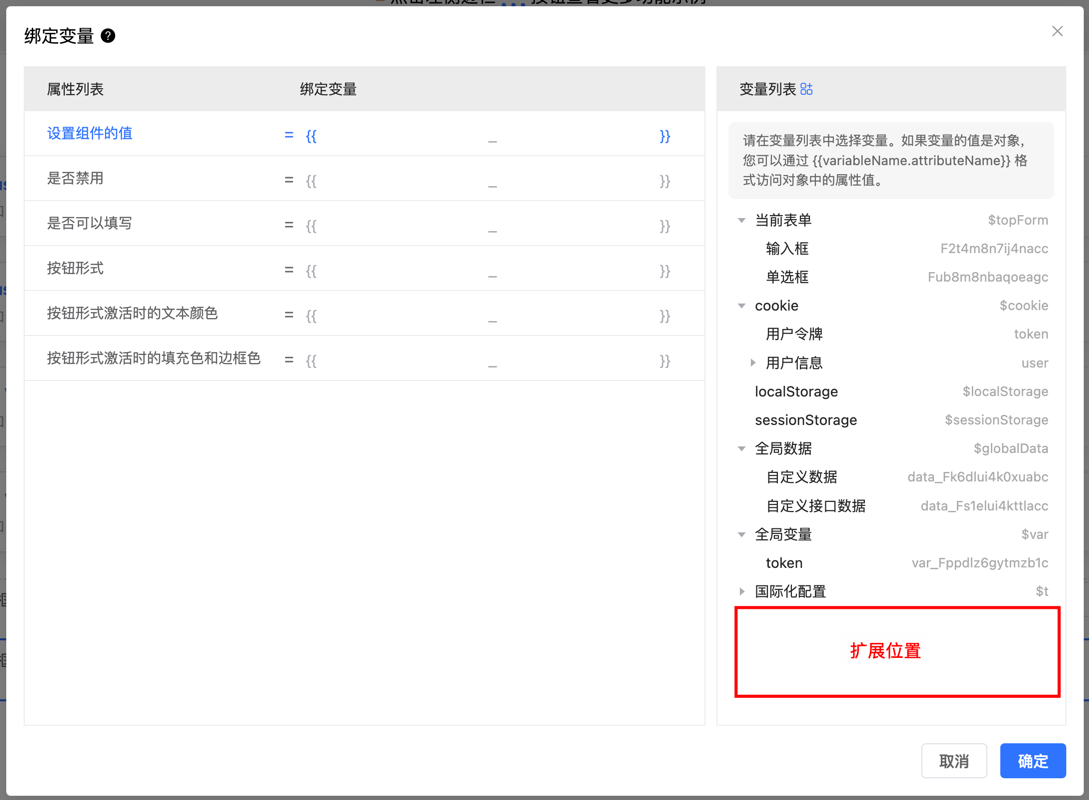
Import External Variable Descriptions
Configure variable description information through config.varList. This configuration is used to display description text and selection in the variable list:
<template>
    <fc-designer ref="designer" :config="config"/>
</template>
<script setup>
    import {onMounted} from "vue";
    const designer = ref(null);
    const config = ref([
        // Add description for data in cookie
        {
            id: '$cookie',
            children: [
                {
                    id: 'token',
                    label: 'User Token'
                },
                {
                    id: 'user',
                    label: 'User Information',
                    children: [
                        {
                            id: 'name',
                            label: 'User Name'
                        }
                    ]
                },
            ]
        },
        // Add description for external variables
        {
            id: 'globalToken',
            label: 'Global Token'
        },
        {
            id: 'cityOptions',
            label: 'City Options'
        },
        {
            id: 'role',
            label: 'Permission Information',
            children: [
                {
                    id: 'ALLOW_CREATE',
                    label: 'Create Permission'
                },
                {
                    id: 'ALLOW_DLETE',
                    label: 'Delete Permission'
                },
            ]
        },
    ]);
</script>
By using built-in variables and custom variables, you can more flexibly control data display and business logic in forms, achieving complex data binding and dynamic updates.