


$inject
This guide covers the data structure of the $inject parameter in event callbacks and explains its properties.
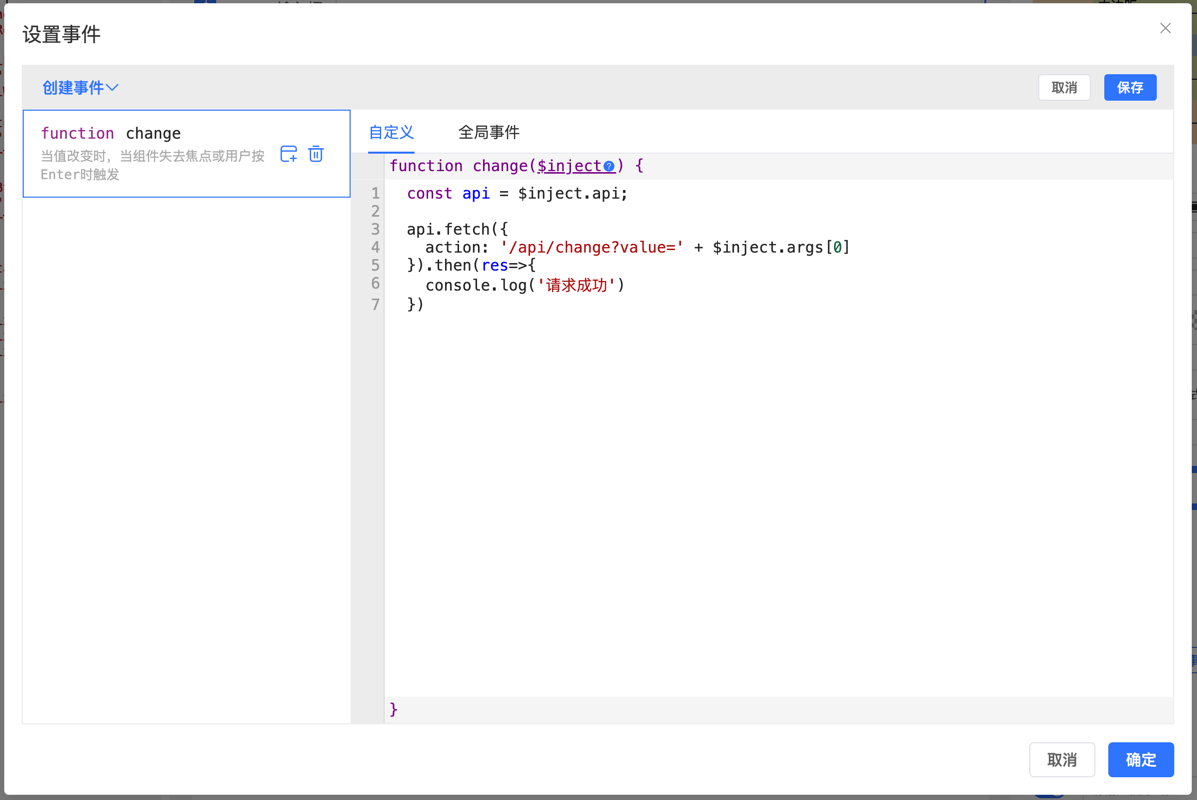
Data Structure
ts
type Inject = {
    api: API,        // Form's API instance
    rule: Rule[],    // Current form's complete rule array
    self: Rule,      // Current component's generation rule
    option: Object,  // Form global configuration object
    args: any[],     // Function's original parameter array
}
Important Note
$inject is a parameter object automatically injected by the FormCreate designer in event callbacks. It provides the ability to access form API, rules, configuration, and other core functionalities. Proper use of $inject can greatly enhance component interactivity and data processing capabilities.
Example 1: Call API Methods
js
const api = $inject.api;
const formData = api.formData();
Common API Methods
js
// Get form data
const formData = $inject.api.formData();
// Set form data
$inject.api.setValue({ field: 'value' });
// Get value of specified field
const fieldValue = $inject.api.getValue('fieldName');
// Set value of specified field
$inject.api.setValue('fieldName', 'newValue');
// Validate form (returns Promise)
$inject.api.validate().then(isValid => {
    console.log('Validation result:', isValid);
}).catch(error => {
    console.error('Validation failed:', error);
});
// Reset form
$inject.api.resetFields();
Example 2: Get Event's Original Parameters
For example, when a component triggers a change event, it passes out the current value:
js
emit('change', value);
//or
//props.change(value);
Get value
js
const value = $inject.args[0];If the event has multiple parameters:
js
emit('beforeUpload', file, fileList);
//or
//props.beforeUpload(file, fileList);
Get parameters:
js
const file = $inject.args[0];
const fileList = $inject.args[1];
Example 3: Modify Current Component Rule
For example, modify component state through an interface after value is modified:
js
const api = $inject.api;
const value = $inject.args[0];
api.fetch({
    action: '/api/getdata',
    query:{
        value
    }
}).then(res=>{
    // Modify self
    $inject.self.options = res.data;
    // Modify other components
    $inject.api.getRule('name').value = res.name;
})